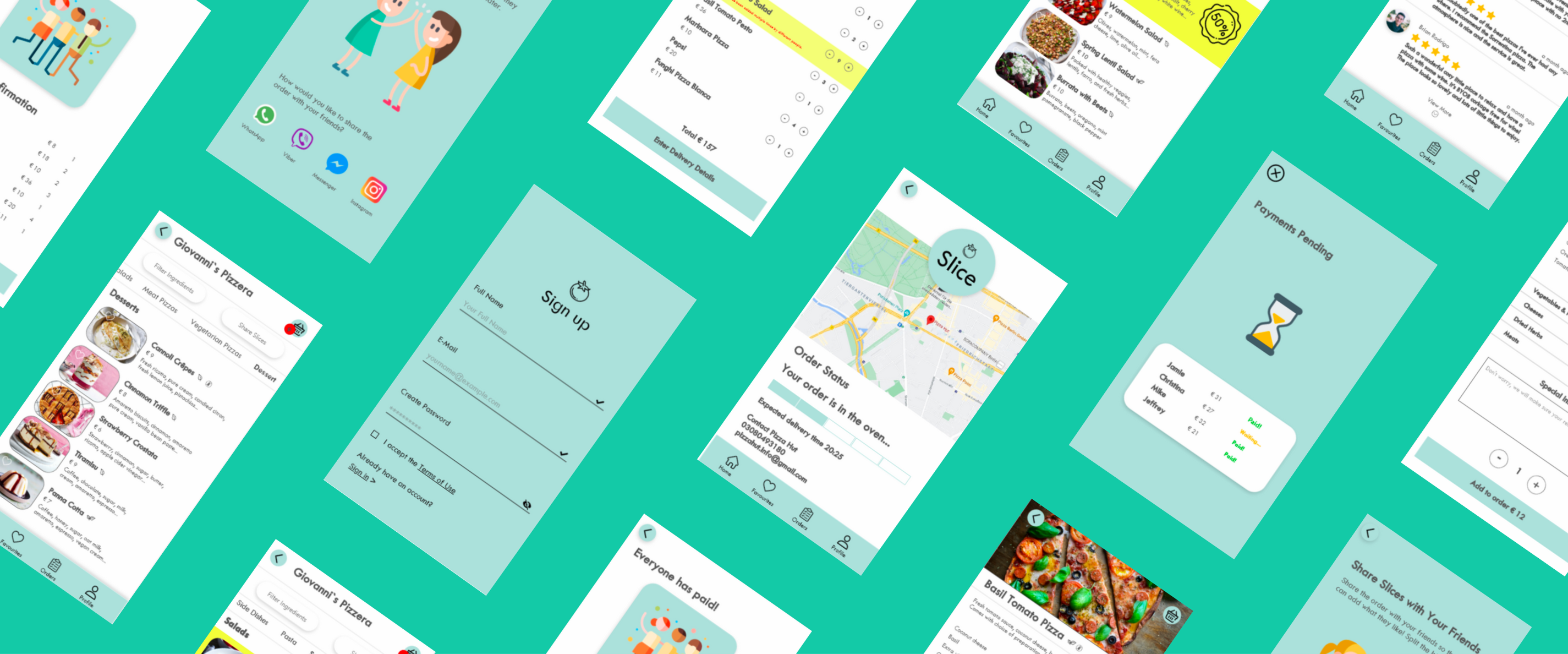
Slice
Find Your Ideal Pizza

Services:

UX Research • UI Design

Tools Used:

Adobe XD • Miro • RapidUserTests • TestingTime

Industry:

Food & Beverage

Timeframe:

2 months
Project Overview
Ordering pizza for a large group can quickly become chaotic—especially when dietary requirements, individual preferences, and the challenge of splitting the bill come into play. This app was created to solve exactly that: making group pizza orders simple, inclusive, and hassle-free.
Objectives
The app helps users find nearby pizzerias that cater to their dietary needs, offering a clear, visual comparison of reviews to support informed decision-making. It simplifies the group ordering experience by allowing each person to add their own items to a shared cart from their own phone. Once everyone has added their order, the app makes it easy to split the bill evenly or by item.

User Research
STEP 1
Primary & Secondary User Interviews
Test To better understand the context of use, I began by speaking directly with users.

Primary users: People who regularly order pizza online.

Secondary users: People involved in the pizza ordering ecosystem, such as restaurant managers. I interviewed an order manager at Pizza Hut and the owner of a local independent pizzeria to understand their operational workflows and the customer behaviors they observe.
Key Insights:

• Convenience is the top priority! Users expect fast, frictionless ordering.

• Dietary filters are essential and must be front and center.

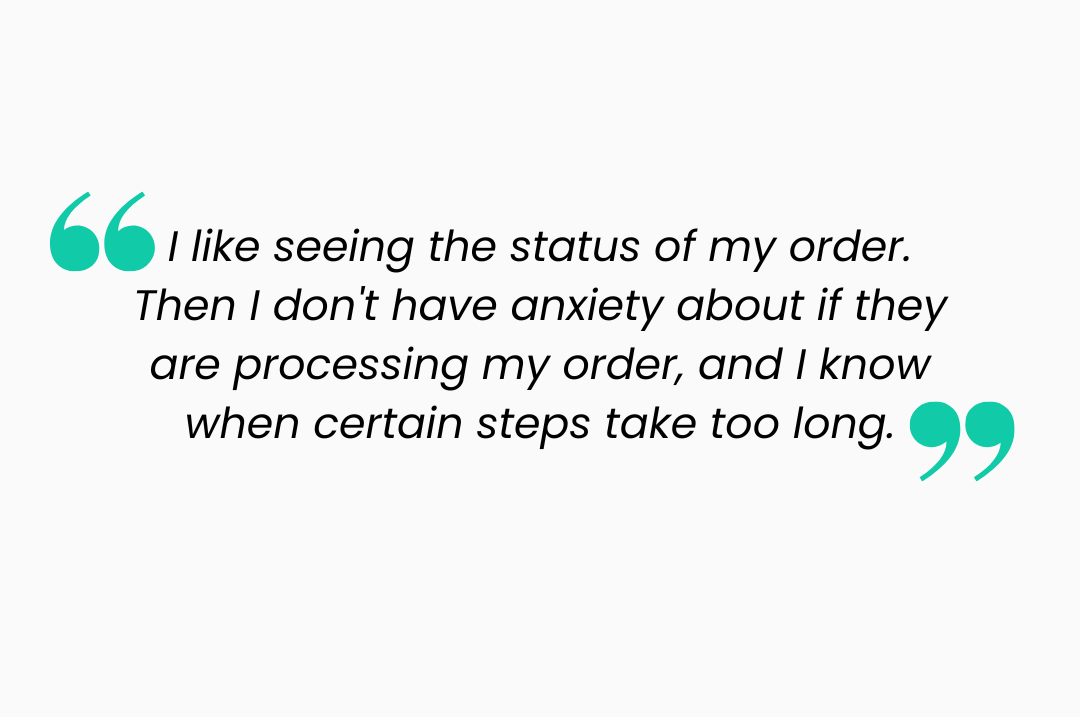
• Real-time order tracking reduces user anxiety and improves satisfaction.

• Customizing a pizza is often clunky and time-consuming. Users want a more intuitive experience.
STEP 2
Context of Use Workshop
My team and I ran a collaborative session to map out the context of use for pizza ordering apps. We explored five key dimensions:

Users – Who’s ordering pizza?

Technology – Devices and platforms they use (mostly smartphones, often via third-party apps).

Environment – At home, on the couch, in a group setting, or on the go.

Goals – Satisfy cravings quickly, accommodate group preferences, simplify splitting the bill.

Resources – Time, money, attention span.
STEP 3
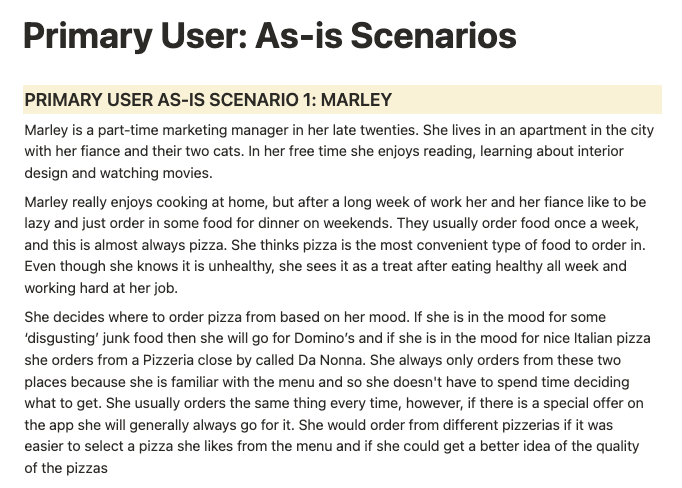
As-Is Scenarios
To build shared alignment on the current user journey, I documented as-is scenarios for both primary and secondary users. These narratives helped communicate and empathize with pain points and inefficiencies in the ordering experience.
STEP 4
Task Models
I visualized critical tasks that users perform to complete their goals. This process clarified where optimizations were needed and guided later design decisions.

Top tasks identified:

Scan reviews and ratings

Select based on dietary requirements

Customize pizza options

Track order progress
STEP 5
Personas
To keep our team grounded in real user behavior, I developed clear, actionable personas representing our primary user types. These personas captured motivations, frustrations, and technical abilities.
STEP 6
User Needs & Requirements
Synthesizing the research, I translated findings into prioritized user needs and system requirements. This acted as a foundation for ideation and prototyping — ensuring we stayed focused on solving the right problems.
Competitive Analysis
STEP 7
Heuristic Evaluations
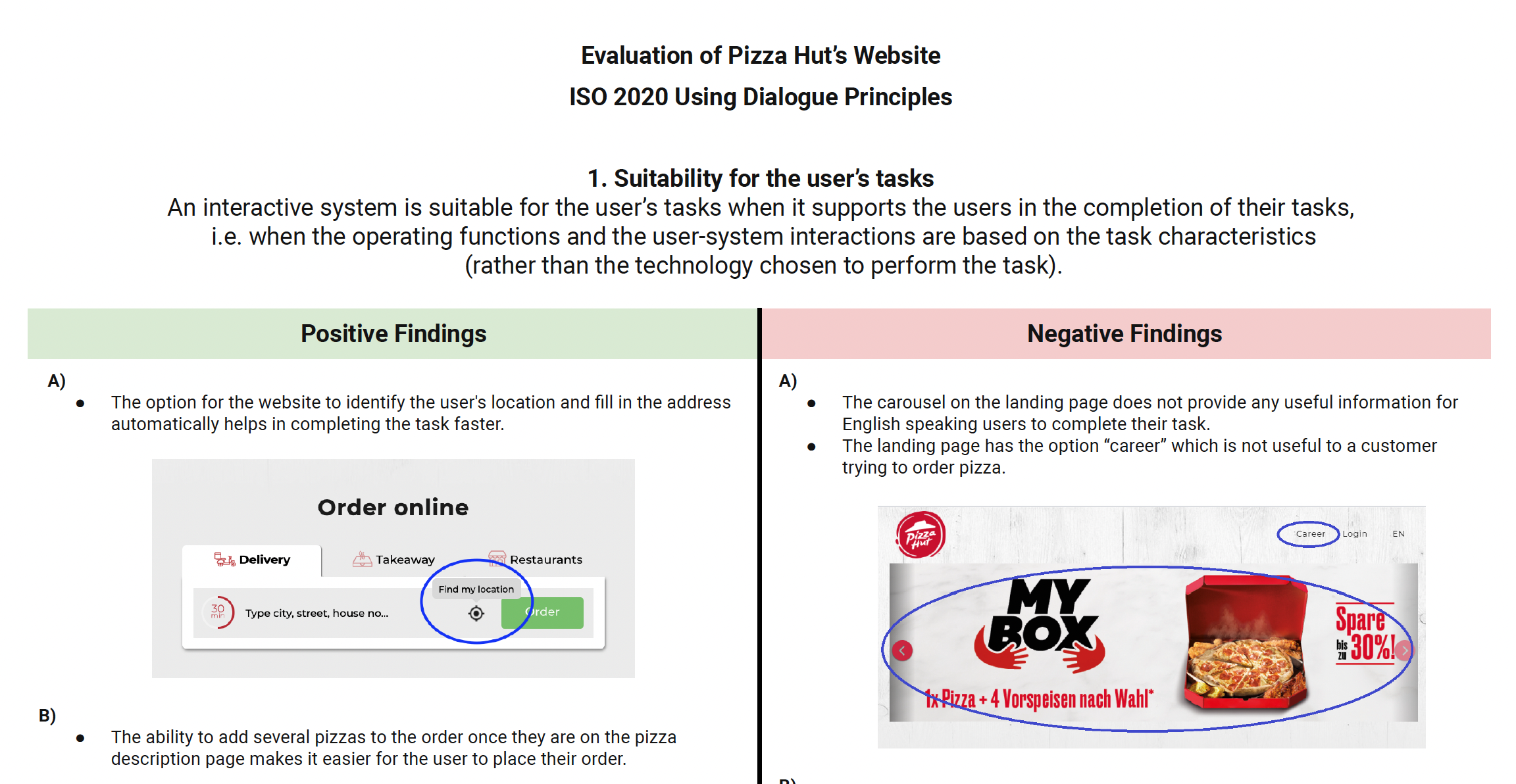
 I conducted heuristic evaluations of the Pizza Hut Germany website using two frameworks:

• Nielsen’s 10 Usability Heuristics

• ISO 9241-110 Dialog Principles

This revealed inconsistencies in feedback visibility, system clarity, and customization flows.
STEP 8
Moderated User Test
I planned and facilitated moderated sessions to observe how users navigated competitor apps in real time. I wrote the testing script, defined the task flows, and recorded qualitative feedback throughout the process.
STEP 9
Unmoderated Usability Testing
To gather broader feedback at scale, I also ran unmoderated tests. Participants completed ordering tasks independently while their screen recordings and behaviors were captured.

Top Insights:

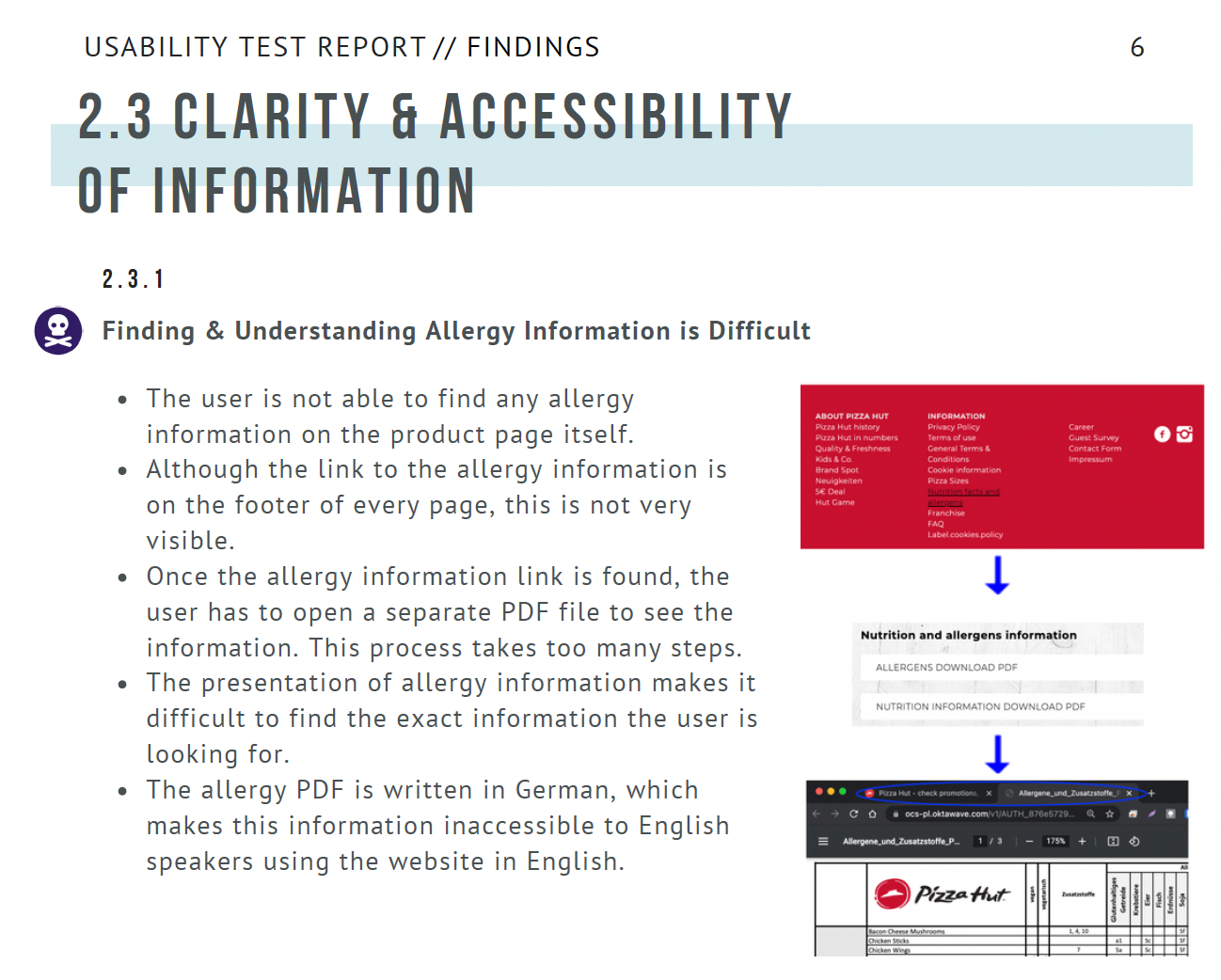
Dietary information is often buried or unclear

Customization features are not user-friendly

Users often abandon carts when faced with confusing checkout steps
STEP 10
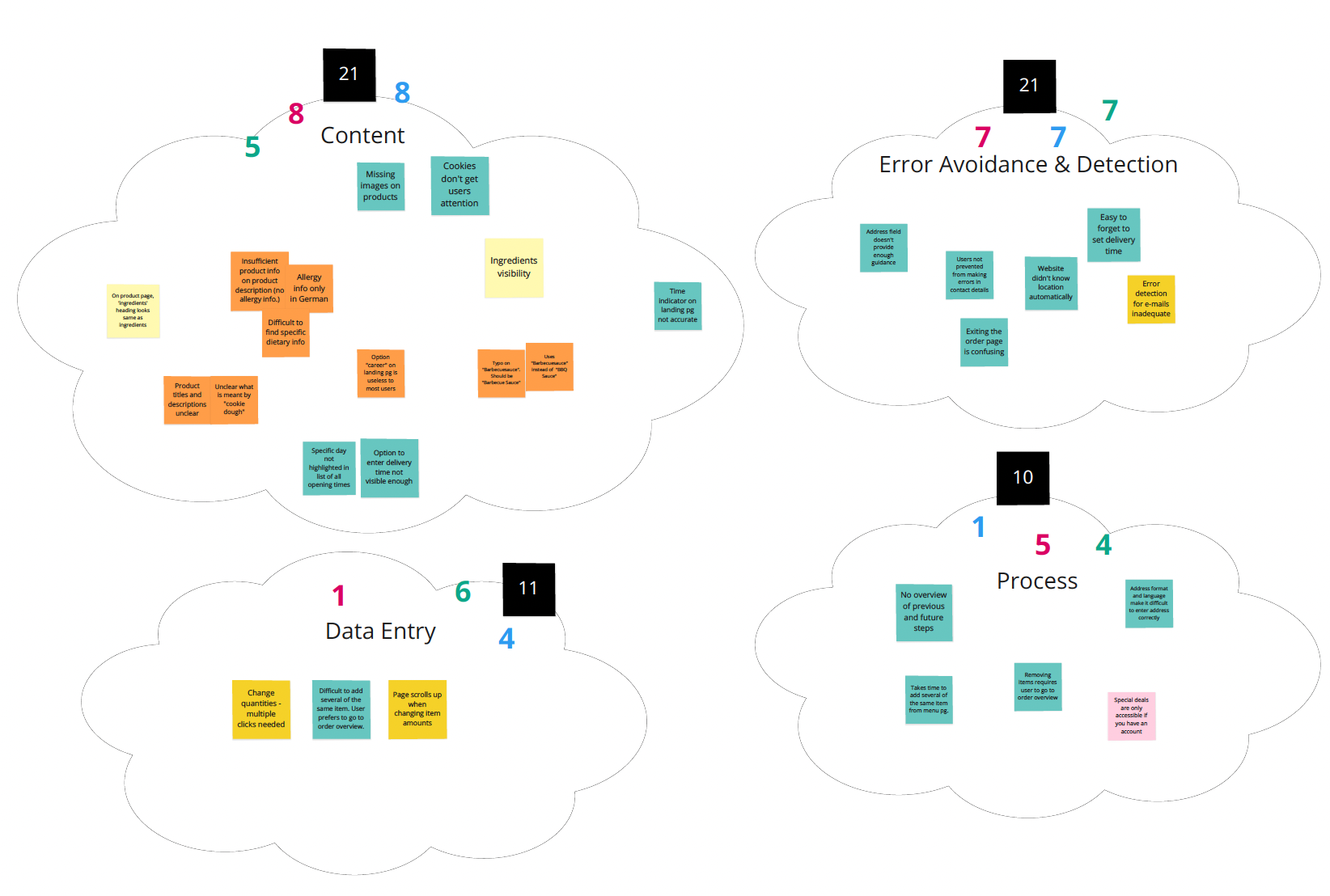
KJ Workshop
To prioritize findings and align as a team, we ran a KJ (affinity diagramming) workshop. This helped us sort through the raw data and surface the most meaningful insights.

Top Themes:

• Clear, detailed product information
is essential — users want to know exactly what they’re getting.

• Error prevention and recovery need to be built into the flow — from customizing a pizza to confirming an order.
STEP 11
Usability Research Report
I synthesized findings from the user research, heuristic evaluations, and usability testing into a comprehensive research report. This document became our north star — anchoring future design decisions in user insights and competitive context.
Design
STEP 12
User Journey Maps
I began by mapping the ideal user journey — what should ordering pizza look and feel like when everything goes right? This journey map illustrated the key moments of interaction between the user and the system, highlighting opportunities for delight and areas to reduce friction.
STEP 13
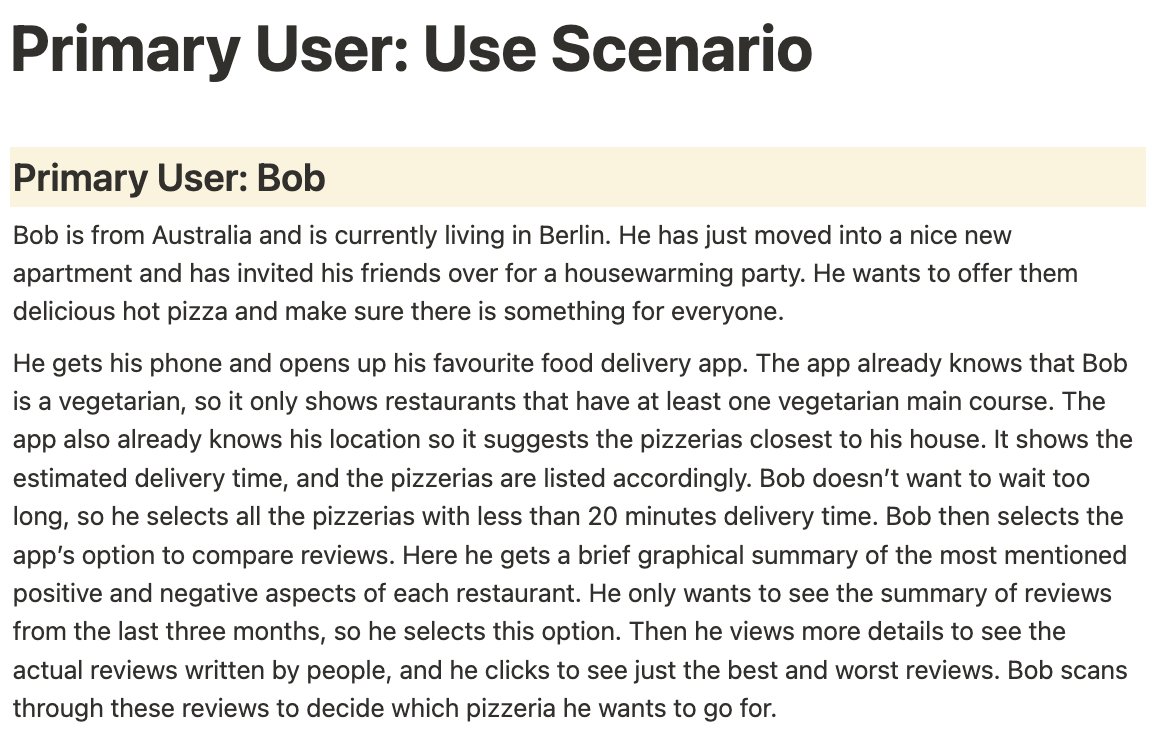
Use Scenarios
I developed detailed user scenarios to help foster user empathy, guide ideation, and ensure design decisions were grounded in real-world contexts. By outlining the end-to-end user journey, I was able to design with greater clarity, consistency, and purpose.
STEP 14
Paper Prototyping
Before jumping into tools, I started with pen and paper. Quick sketches helped me explore early concepts and share them with the team for immediate feedback. This lightweight method allowed for fast iteration without attachment.
STEP 15
Wireframes
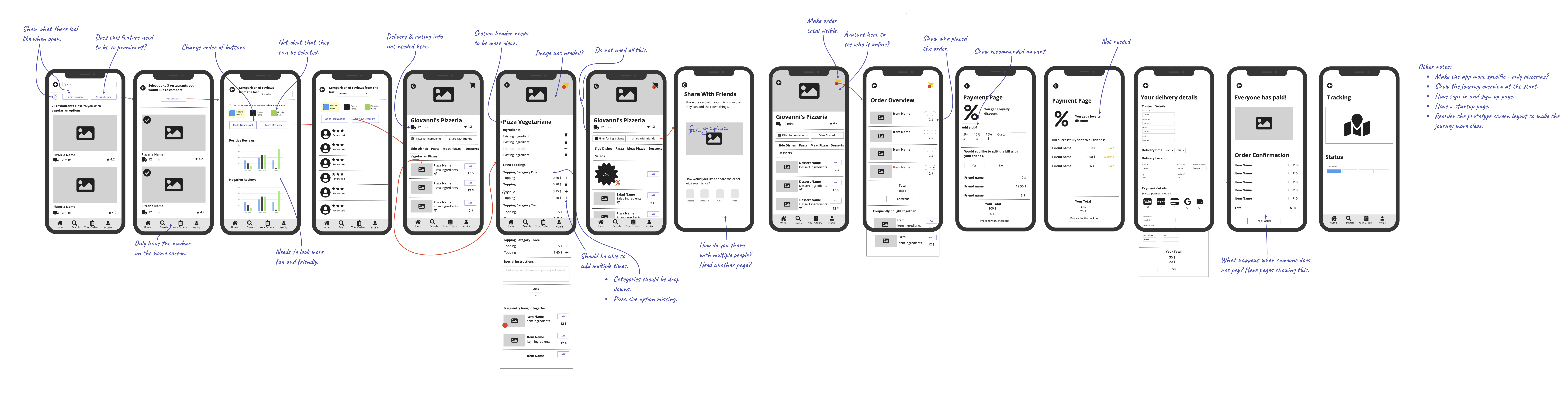
I translated paper concepts into digital wireframes, focusing on information architecture, task flows, and layout. These wireframes went through multiple rounds of feedback and peer reviews from 2–3 teammates to ensure clarity and usability.
STEP 16
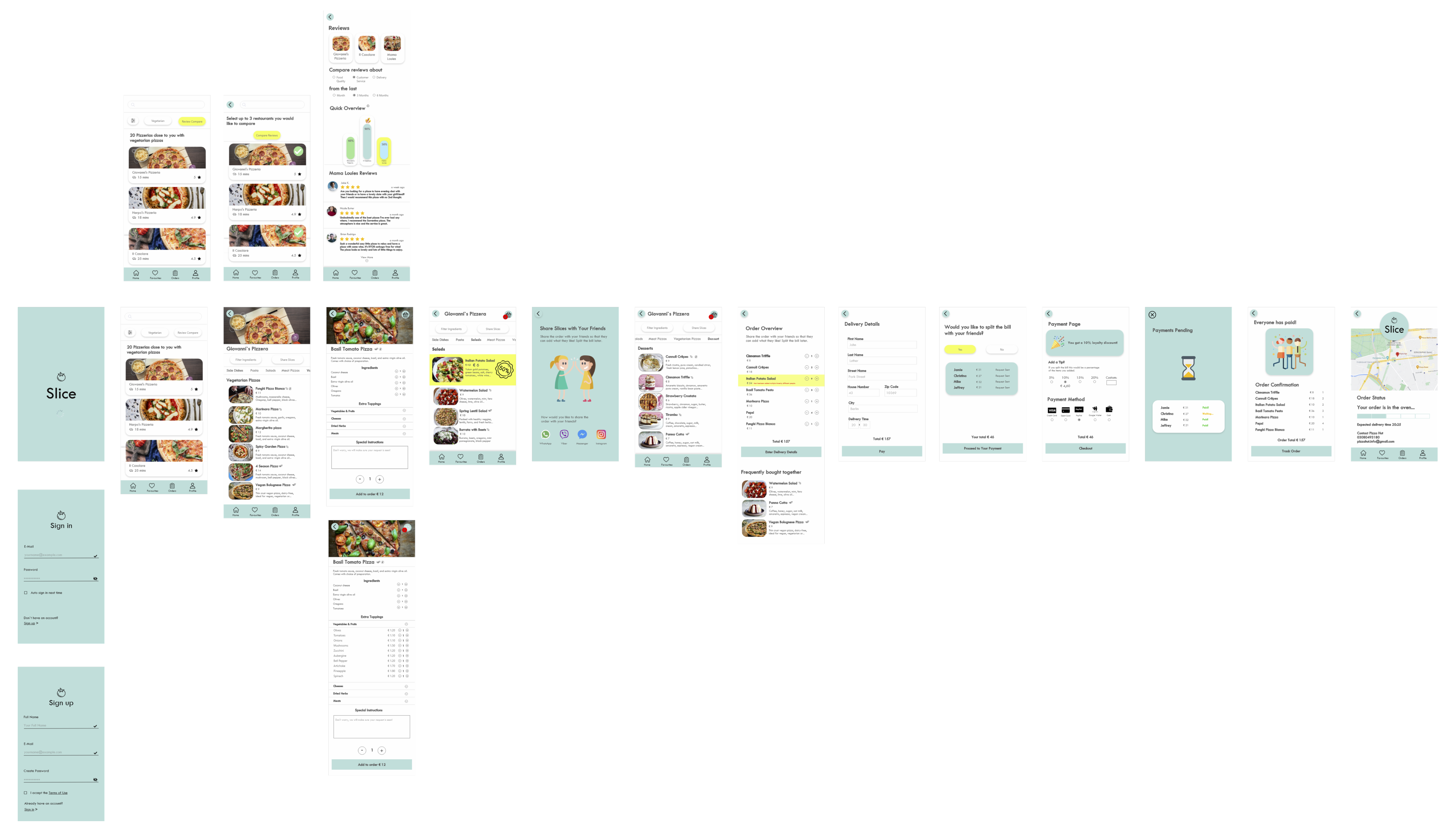
Interactive High-Fidelity Prototype
Once the structure was refined, I brought the design to life through a high-fidelity interactive prototype using Adobe XD. This version closely mimicked the final product and was used for usability testing and stakeholder presentations.