Coffee Finder
Find Good Coffee on the Road

Services:

UX Research • UI Design

Tools Used:

Axure • Miro

Industry:

Food & Beverage

Timeframe:

1 Month
Project Overview
Long drives on the highway can drain your energy fast. Sometimes all you want is a decent cup of coffee, not a mystery drink from a questionable machine. But how do you find the right stop without wasting time or compromising on your preferences?
Objectives
I designed a mobile app that works seamlessly with smart coffee machines at highway rest stops. The app helps drivers:

• Locate nearby stops with their favorite drink options

• Customize and pre-order drinks

• Pay using virtual wallets like PayPal

• Automatically sync nutritional info with Fitbit or food tracking apps like MyFitnessPal.
User Research
STEP 1
User Interviews
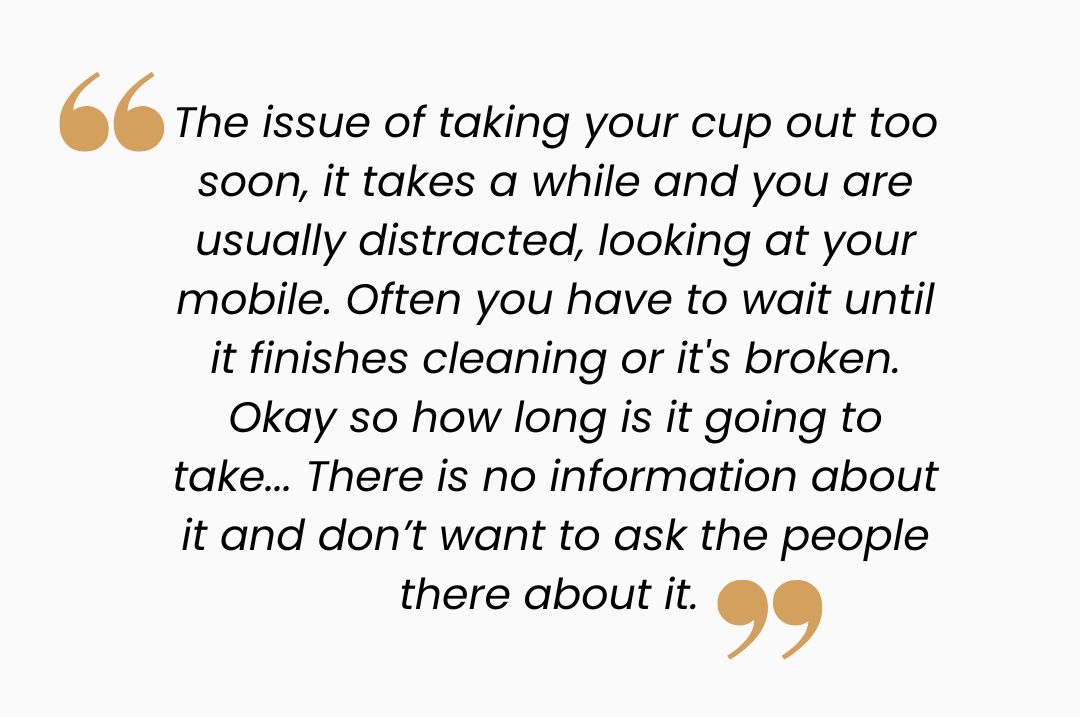
As always, I began by talking to the target audience. I interviewed primary users (frequent drivers and road-trippers) to uncover real pain points around finding coffee while on the road.

Key Insights:

• Good coffee is hard to find on the road

• Self-service machines feel unhygienic and confusing

• Users are often unsure which cup size to pick
STEP 2
Context of Use Workshop
We ran a collaborative workshop to unpack the real-world conditions surrounding the product.

We the explored 5 components of the context of use :

Users: Coffee lovers on the move

• Technology: Smartphones and vending systems

Environment: Inside cars, rest stops, and parking lots

Goals: Stay energized and take a refreshing break

Resources: Time, attention, money
STEP 3
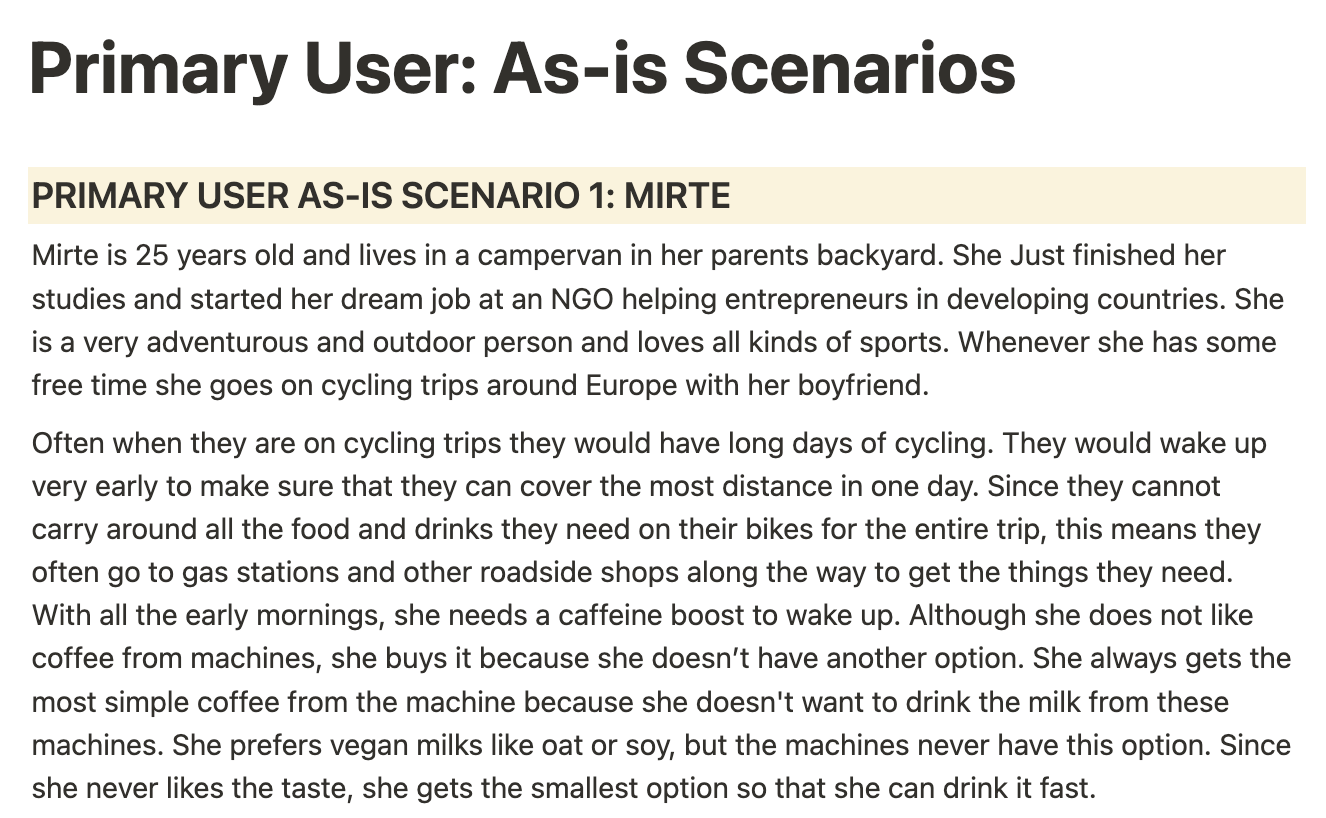
As-Is Scenarios
I documented existing user journeys, focusing on what it's actually like to get a coffee during a road trip. These helped the team empathize with frustrations like wasting time at the wrong stop or struggling with outdated machines.
STEP 5
Personas
To guide our design, I created data-driven primary and secondary user personas that captured user goals, habits, frustrations, and tech comfort levels. These grounded our process in real-world usage and prevented us from designing for ourselves.
STEP 6
User Needs & Requirements
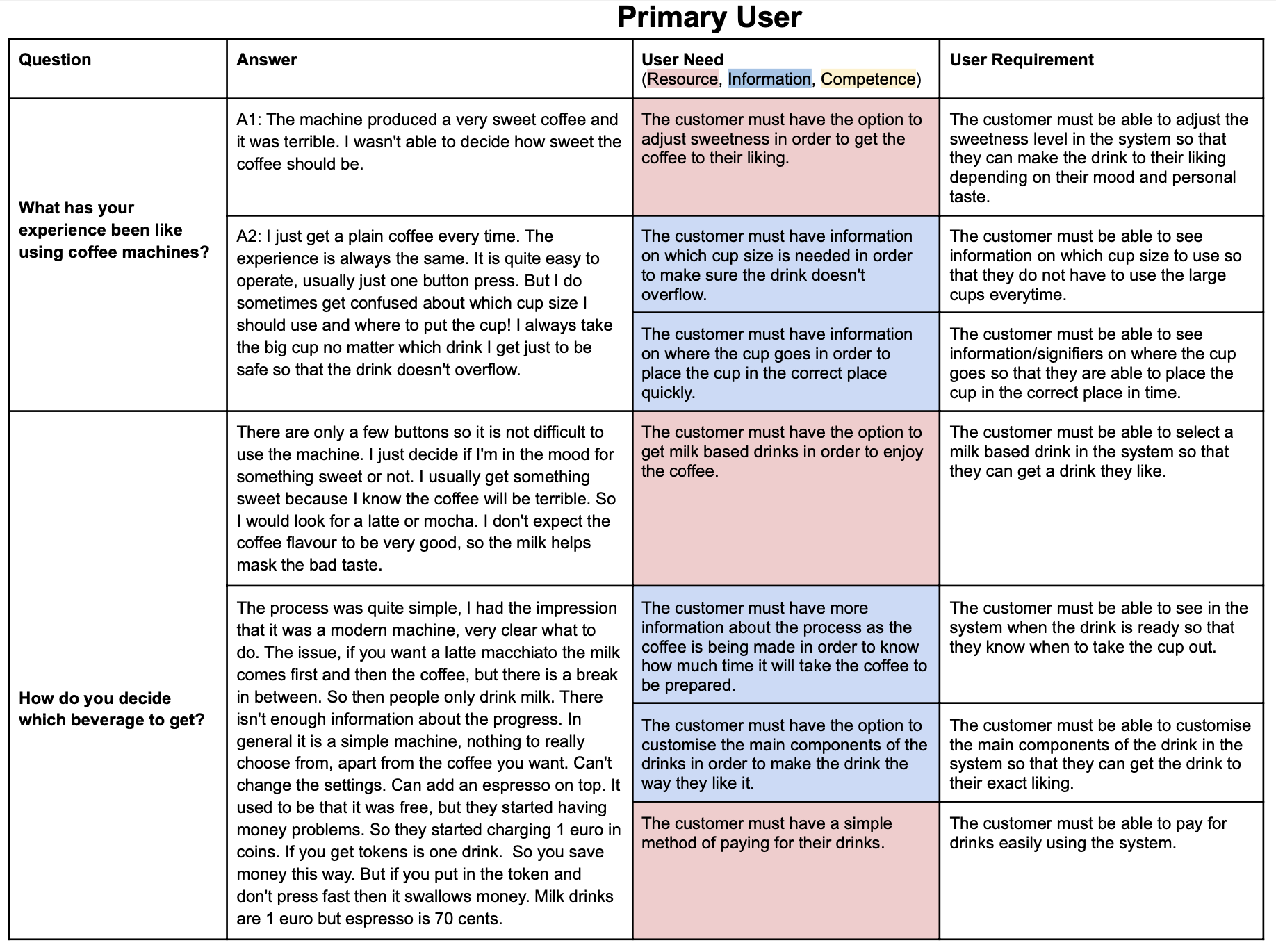
Drawing from primary and secondary user interviews, I analyzed recurring patterns to identify and categorize user needs into three key types: Resource, Information, and Competence needs.

These insights were then distilled into actionable design requirements that served as strategic guardrails throughout the design phase—ensuring the team stayed focused on addressing the right problems with user-centered solutions.
Design
STEP 7
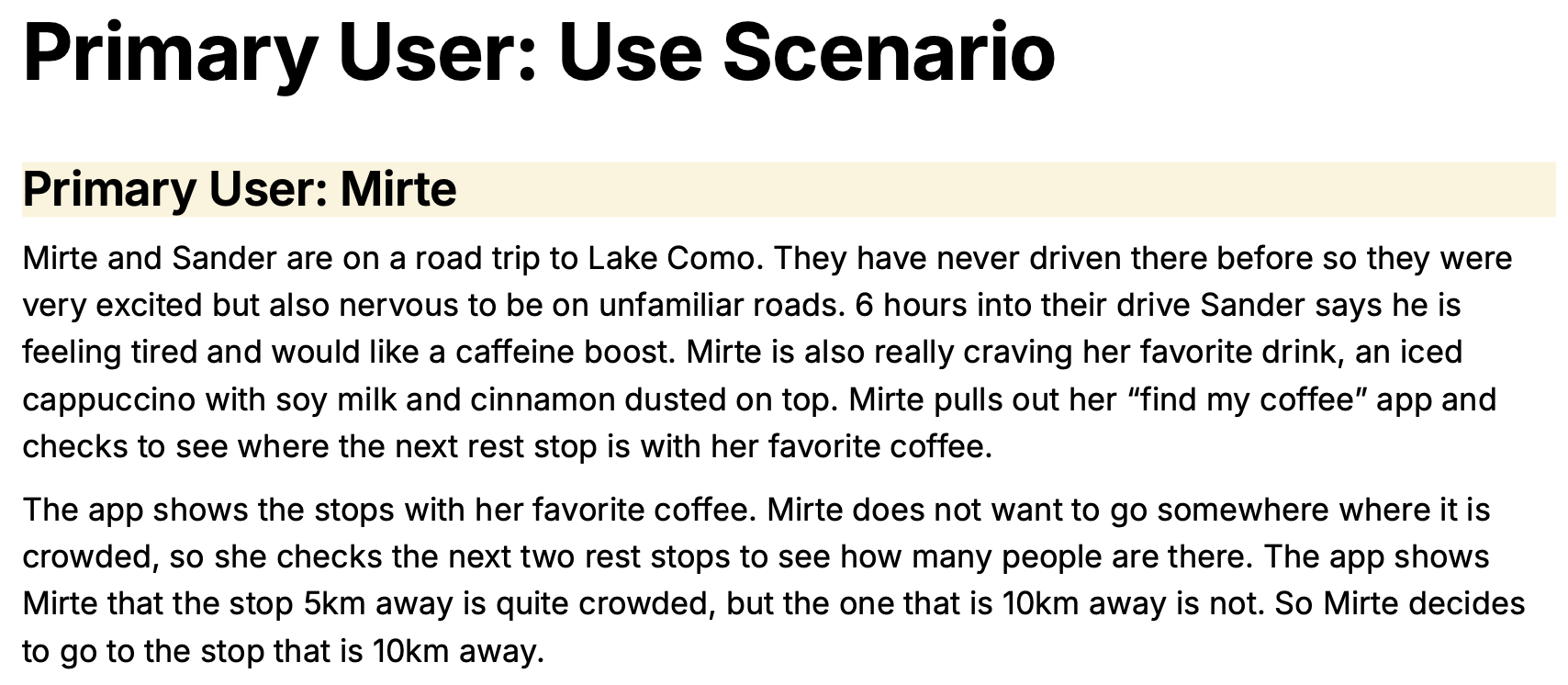
Use Scenario
To align the team and ground the design process in real user needs, I created a use scenario illustrating the ideal end-to-end coffee-finding experience.

Drawing directly from interview-derived user requirements, this scenario helped stakeholders visualize success from the user’s perspective and served as a strategic reference point as I moved into detailed design.
STEP 8
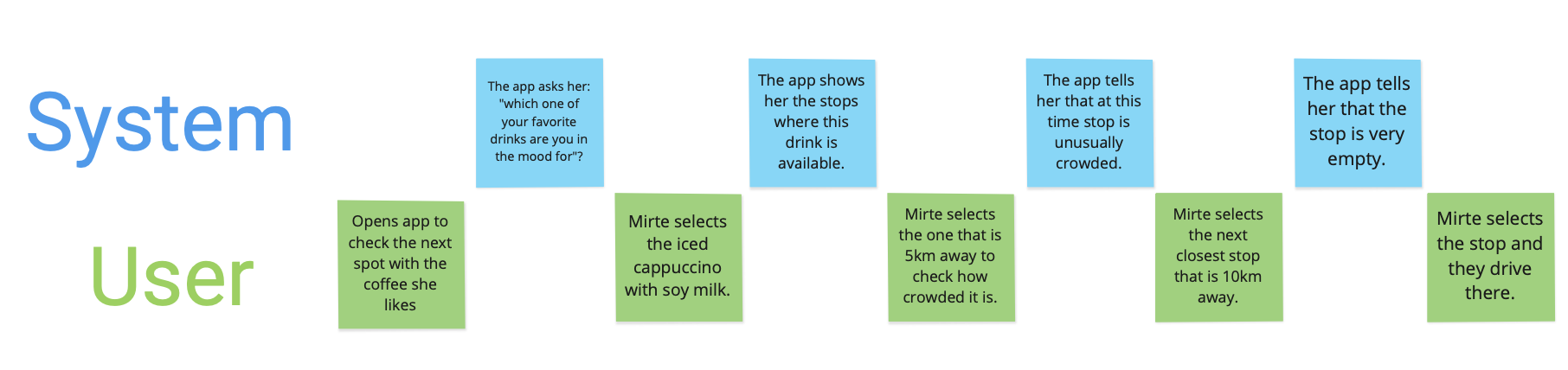
User Journey Map
Building on the research, I mapped out a user journey that prioritized simplicity and convenience. The goal? A smooth experience from highway to hot cup with minimal fuss.
STEP 9
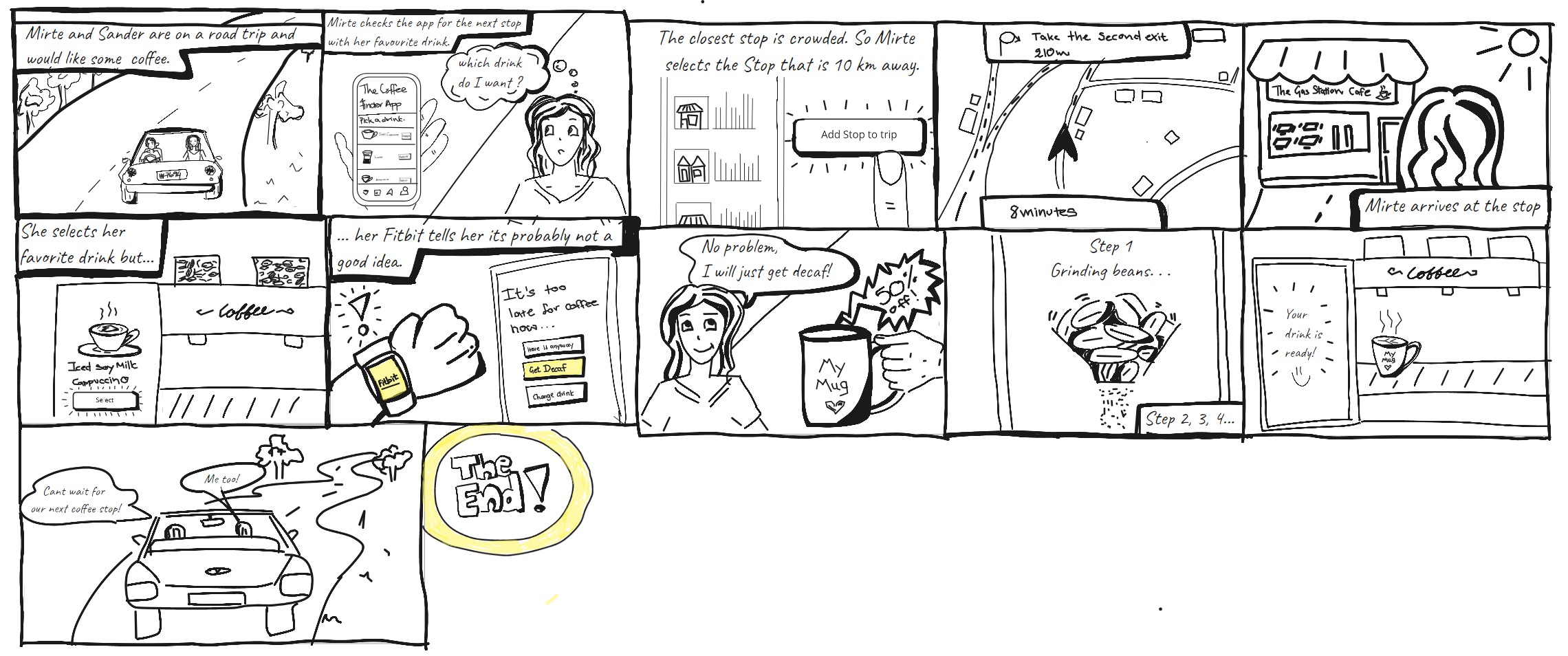
Storyboarding
I illustrated a short visual narrative showing how a user might interact with the product in context. This helped communicate intent to both technical and non-technical stakeholders.
STEP 10
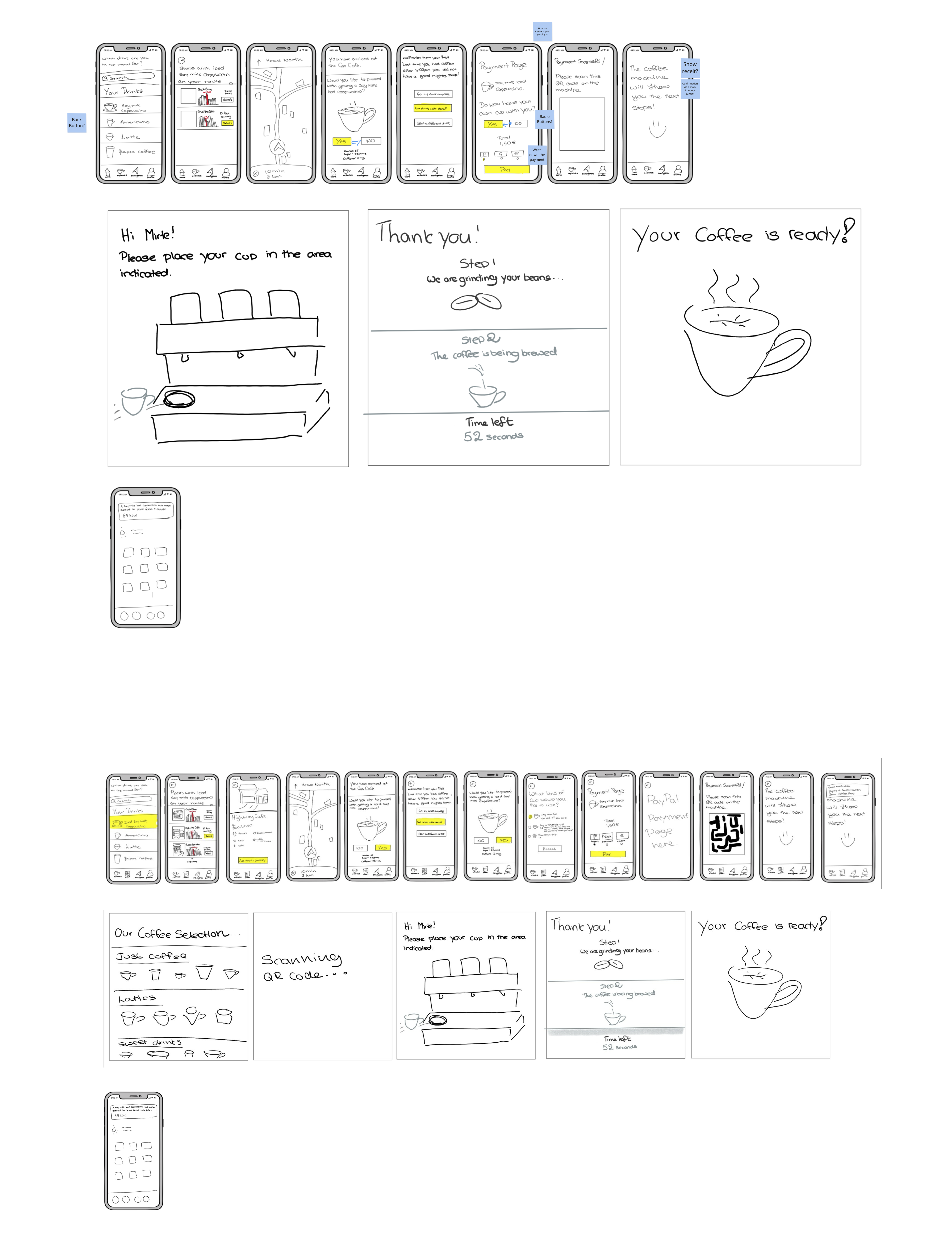
Paper Prototype
Fast, scrappy, and effective. I sketched out multiple paper prototypes and iterated based on team feedback. This allowed us to explore ideas without getting too attached too early.
STEP 11
Low Fidelity Prototype
After validating our paper sketches, I created low-fidelity wireframes and iterated five times. Each version was tested against ISO usability standards and Nielsen’s 10 usability heuristics to fine-tune the experience.
STEP 12

High Fidelity Prototype
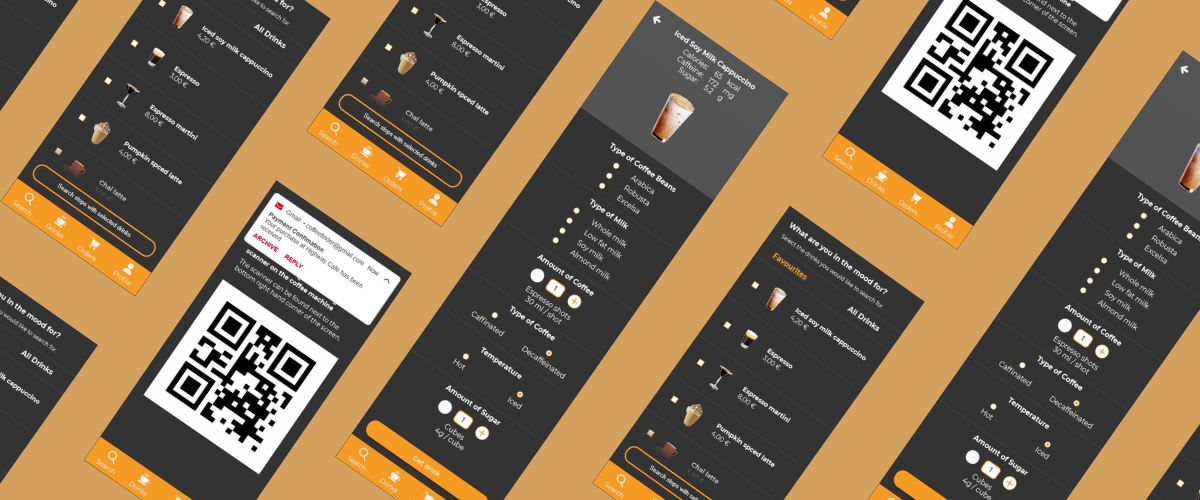
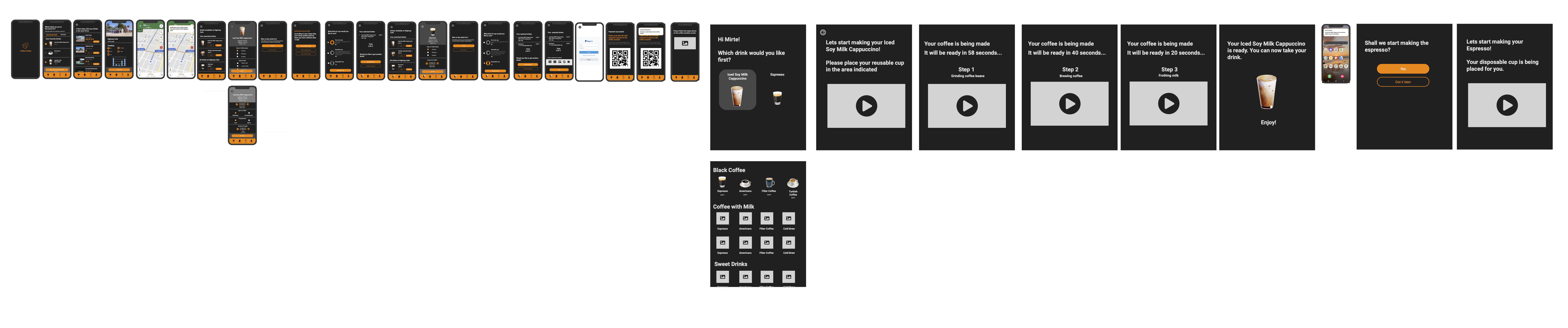
The final design was built as an interactive prototype in Axure. It showcased the full flow from selecting a drink to syncing nutritional data — and was presented to stakeholders for feedback and buy-in.
Prototype Walkthrough