Research Data Association
Complete redesign of website and member collaboration platform to support global research communities
Project Overview
This client came to us with a website that was outdated, disorganized, and difficult to navigate. Their goal: a complete redesign of their web presence and the development of a robust platform to support collaboration among 11,000+ members.

My role as Lead UX Researcher & Designer was to reimagine the entire user experience, from restructuring their content and taxonomy to designing smooth onboarding, event registration, and research submission flows.

In addition to their complete website redesign, the client needed a new collaborative platform for its 11k+ members to use and work together on research projects.

• The primary service offered by the organization was encouraging collaborations and members in the research field. Their current platform was not getting enough engagements from their members.

• The current platform was also clunky and lacked organization and smooth live collaborative functionality for its members. 
Objectives
For Website

Redesign the existing website’s UI, IA, and content taxonomy.

• Build a scalable, intuitive platform that simplifies how research data is stored, structured, and accessed.

• Improve the membership onboarding and renewal processes
Support the client in refining internal workflows and aligning them with user needs.
For Collaboration Platform

Design a seamless, scalable user flow for submitting, reviewing, and revising research group applications, with version control and full historical visibility.

• Design and build a live member collaboration platform with robust functionality:

• Real-time document editingIn-document commenting.

• Document versioning and access control based on user role

• Ensure the platform is intuitive, user-friendly, and future-ready for scale.
User Research
STEP 1
Client Kickoff
We began with a client kickoff session to align on project goals, team roles, timelines, and initial expectations. This helped us identify early priorities and gather a high-level understanding of the current pain points.
STEP 2
Research Planning
With the project scope, timeline, and client goals in mind, I outlined a series of focused workshops to explore the website and collaboration platform’s key functionality areas:

Client CMS – understanding current workflows and pain points

Membership onboarding & renewals – mapping and improving the process

Collaboration structures – defining group setups and shared requirements

Research group proposals & reviews – streamlining submission and evaluation workflows

Project ideation & output submission – ensuring smooth collaboration and version controlI worked closely with the Project Manager to schedule these sessions in sync with other discovery activities, ensuring our findings complemented the broader research effort.
STEP 3
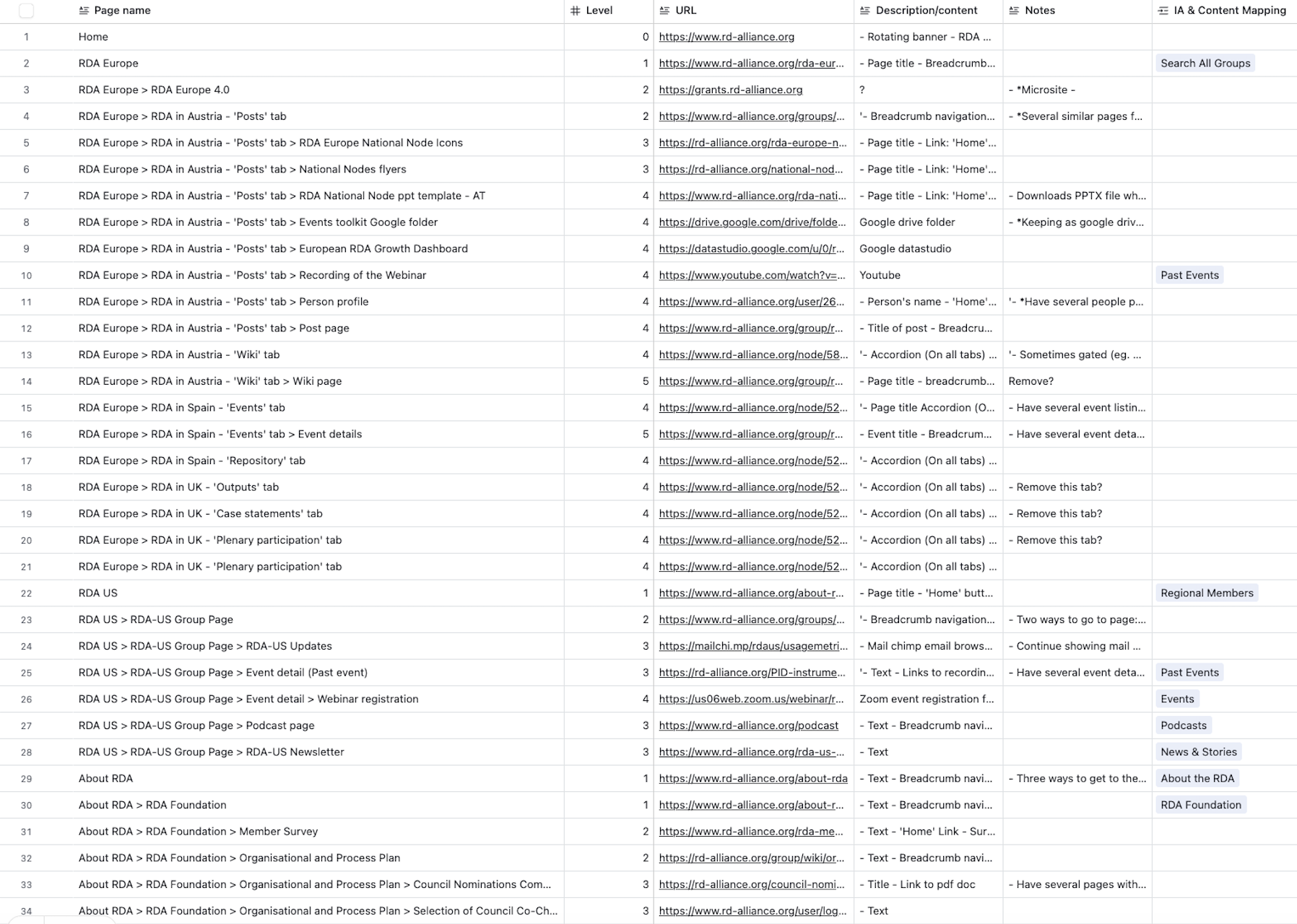
Content Inventory & Audit
I performed a full content inventory and audit of the client’s existing website, identifying content types, gaps, and redundancies.

This helped shape both our workshop strategy and the early architecture of the site. The client was also asked to flag any outdated or unused content.
STEP 4
CMS Discovery Workshop 
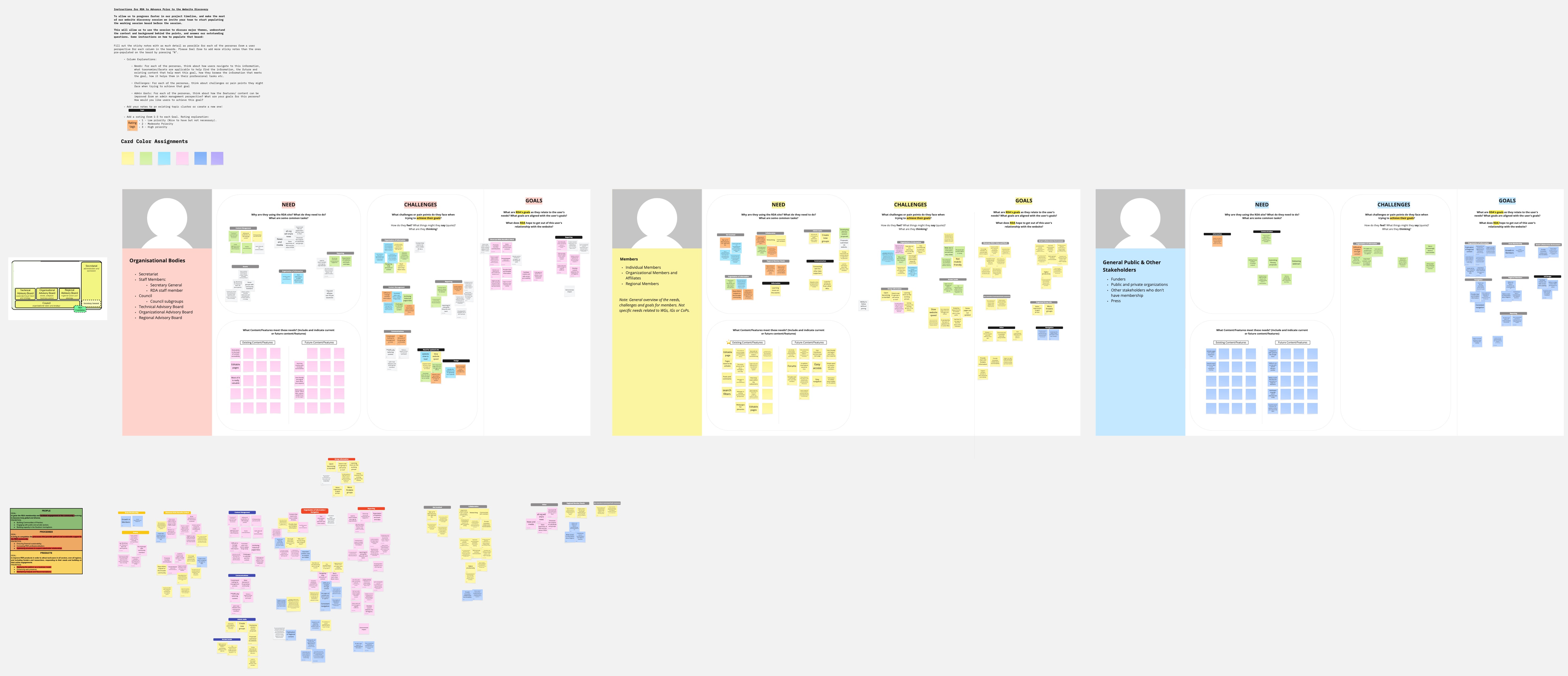
To understand how the team currently managed content and what their ideal system might look like, I designed and led a CMS discovery workshop with key stakeholders.

Using the content inventory, I identified their primary content areas and asked probing questions about how they used and prioritized content. My goal was to uncover both business and user needs to inform a new IA that supported clarity, usability, and scalability.
View Workshop Miro Board
STEP 5
Membership Registration & Renewal Workshops
Smooth membership onboarding and renewal flows were critical. I led targeted workshops to dig into current processes and pain points.

A key part of this step was challenging legacy workflows and identifying where things could be simplified or redesigned for better UX—without compromising essential business logic.
STEP 6
Collaborative Platform Workshops
The client’s organization supported multiple types of collaborative research groups, each with distinct but overlapping needs. I led a discovery session to identify the core functionalities common across all group types, uncovering their essential needs, pain points, and feature requests.From this, four critical workflows emerged—each complex enough to warrant its own workshop:

Submitting and reviewing research project proposals

Submitting and reviewing research reports

Planning multi-session research events

These workflows all required advanced features such as document versioning, iterative reviews, and permission-controlled access involving multiple user roles. Each stage had to account for the unique review processes and administrative layers involved in academic research collaboration.
STEP 7
Collaborative Platform Technical Approach
Choosing the right approach for the collaboration platform was a challenge—complex requirements, limited resources, and tight timelines meant every decision mattered. We explored two paths:

BuddyBoss with WordPress – A pre-built solution with community tools, but requiring significant customization to meet client needs.

Custom WordPress Build – Full flexibility and scalability, but much more resource-intensive and time-consuming.Our team’s stronger WordPress expertise meant BuddyBoss would involve a learning curve and could be harder to support post-launch, while a custom build risked overrunning our schedule.

After brainstorming with developers, the UX Lead, and our General Manager, we chose BuddyBoss with custom development—a solution that balanced functionality, cost, and delivery speed.
UX Design
STEP 8
UX Research Report
Choosing the right approach for the collaboration platform was a challenge—complex requirements, limited resources, and tight timelines meant every decision mattered. We explored two paths:

BuddyBoss with WordPress – A pre-built solution with community tools, but requiring significant customization to meet client needs.

Custom WordPress Build – Full flexibility and scalability, but much more resource-intensive and time-consuming.Our team’s stronger WordPress expertise meant BuddyBoss would involve a learning curve and could be harder to support post-launch, while a custom build risked overrunning our schedule.

After brainstorming with developers, the UX Lead, and our General Manager, we chose BuddyBoss with custom development. A solution that balanced functionality, cost, and delivery speed.
STEP 9
User Flows
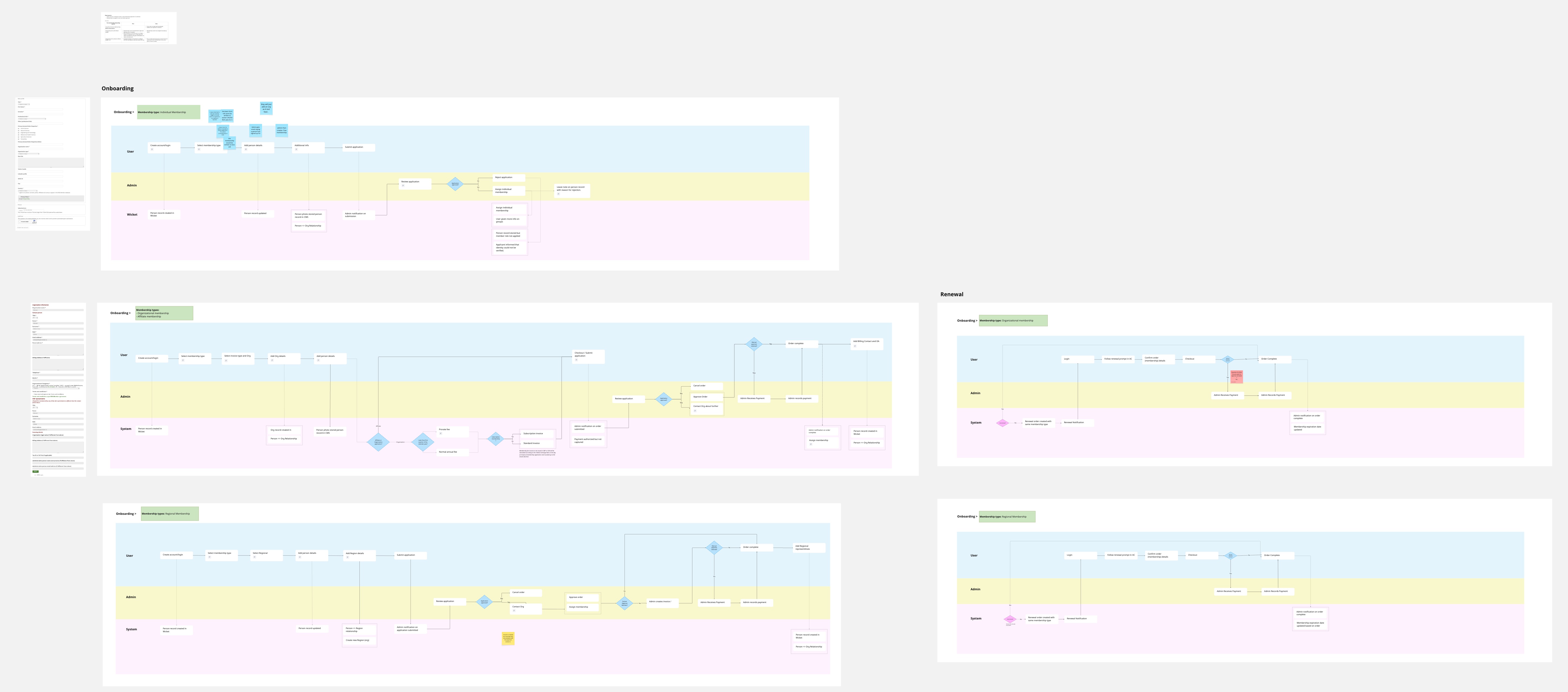
I created user flows to map out how members would interact with both the website and collaboration platform. Each flow was refined with client and developer feedback to ensure clarity, logical progression, and technical feasibility. This process not only aligned stakeholders early but also gave developers a clear high-level blueprint to guide implementation before moving into wireframes.

Website flows included:

Membership registration & renewal

Event registration & ticketing

Collaboration platform flows included:

Research group creation and collaboration

Research paper submission with version control

Event proposals and scheduling
STEP 10
Taxonomies & Vocabularies
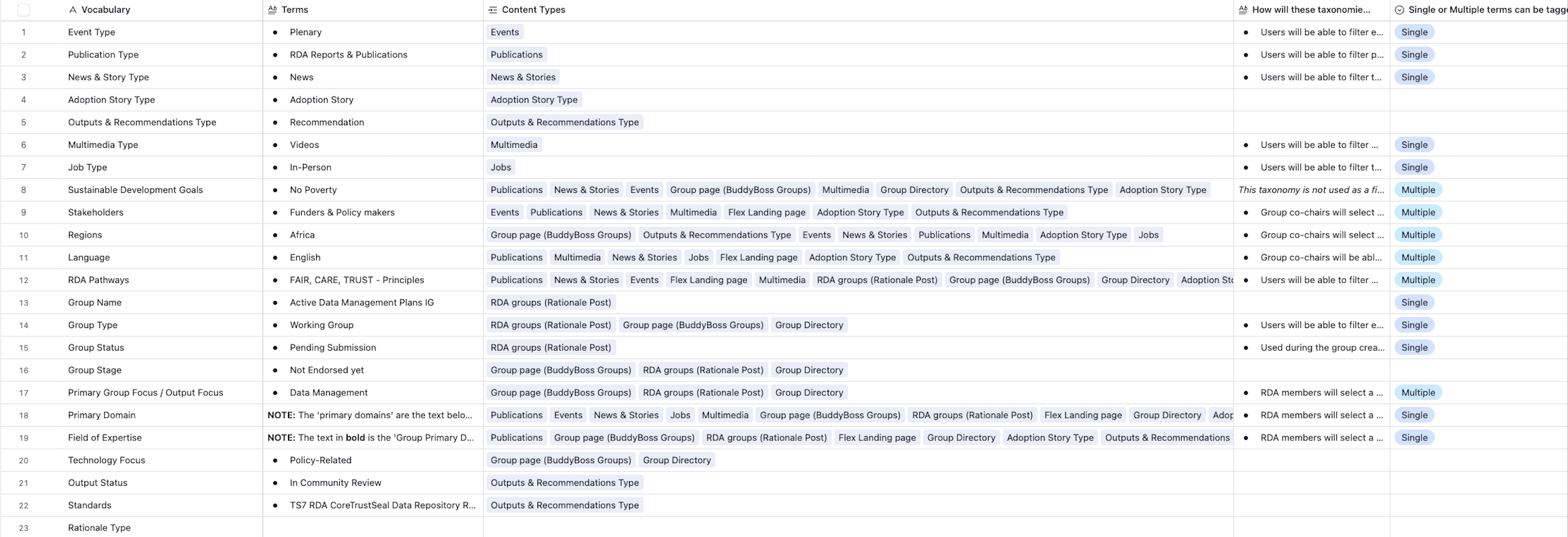
Because the site was content-heavy—especially with research data—it needed a clear, scalable structure. I defined taxonomies and vocabularies that balanced user needs with organizational priorities.

Content was organized using categories, tags, and custom taxonomies, making information easier to find and navigate.

I also coordinated with a third-party vendor to ensure consistency between the internal platform and their external research archive.
STEP 11
Information Architecture
IA work is where business priorities and user expectations often clash. Through collaborative iteration, I helped the client strike a balance—ensuring their goals were met without compromising usability or accessibility.

Given the collaborative platform’s complexity, I developed a standalone IA to guide navigation and page structure specific to the collaborative platform.
STEP 12
User Roles & Access Levels
The platform needed to serve multiple purposes: 

A collaborative space for research groups

A tool for membership application and renewal

An interface for submitting research and event proposals. 

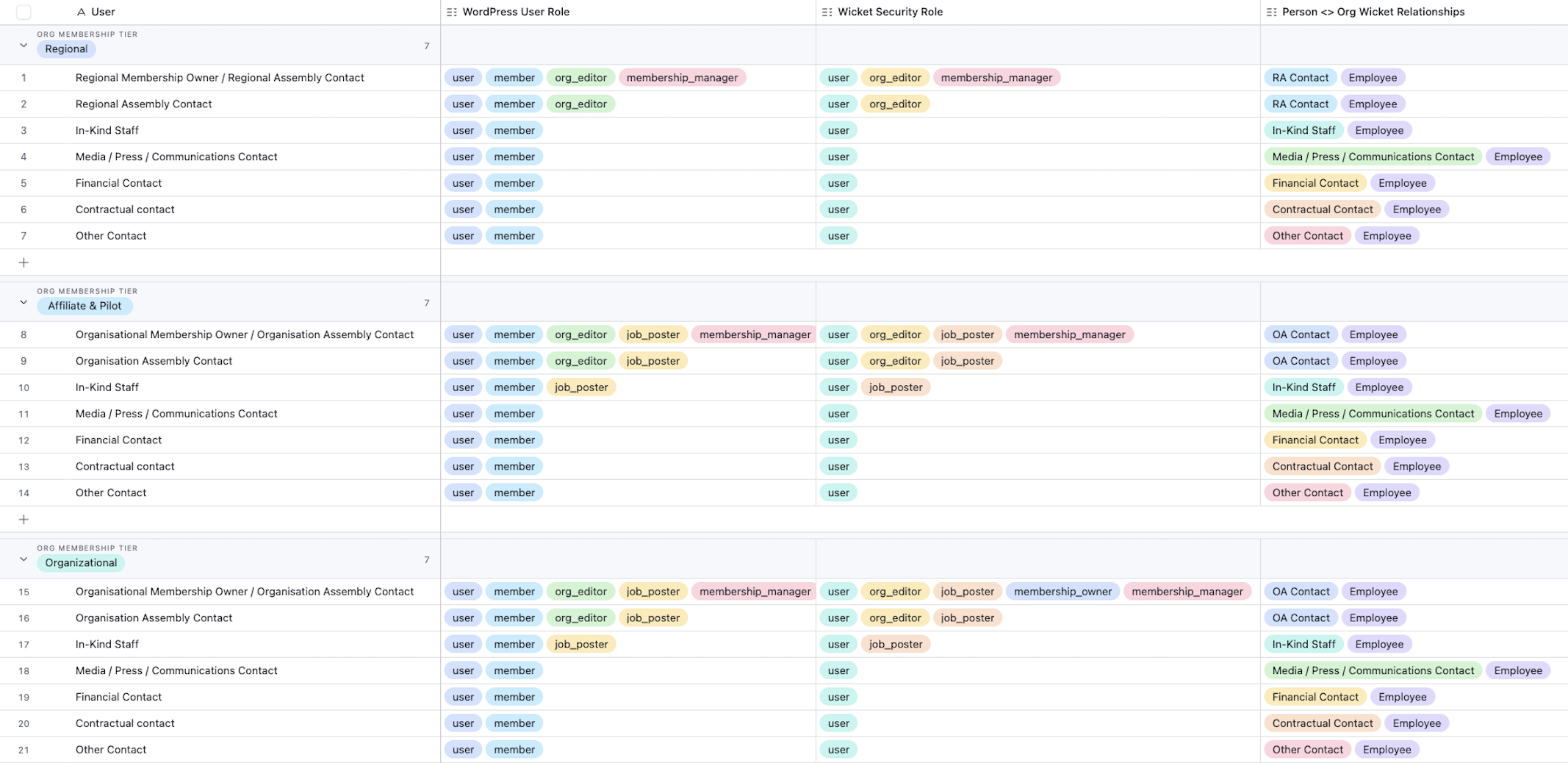
This made the role and access tier definition particularly complex. To simplify and streamline access control, I conducted a detailed analysis of the client's existing workflows.

This allowed us to identify inefficiencies and remove unnecessary default roles that added confusion or security risks. The result was a clearer, more manageable set of user roles, aligned with real-world responsibilities and access needs—minimizing overhead while maximizing usability and data protection.
STEP 13
Wireframes
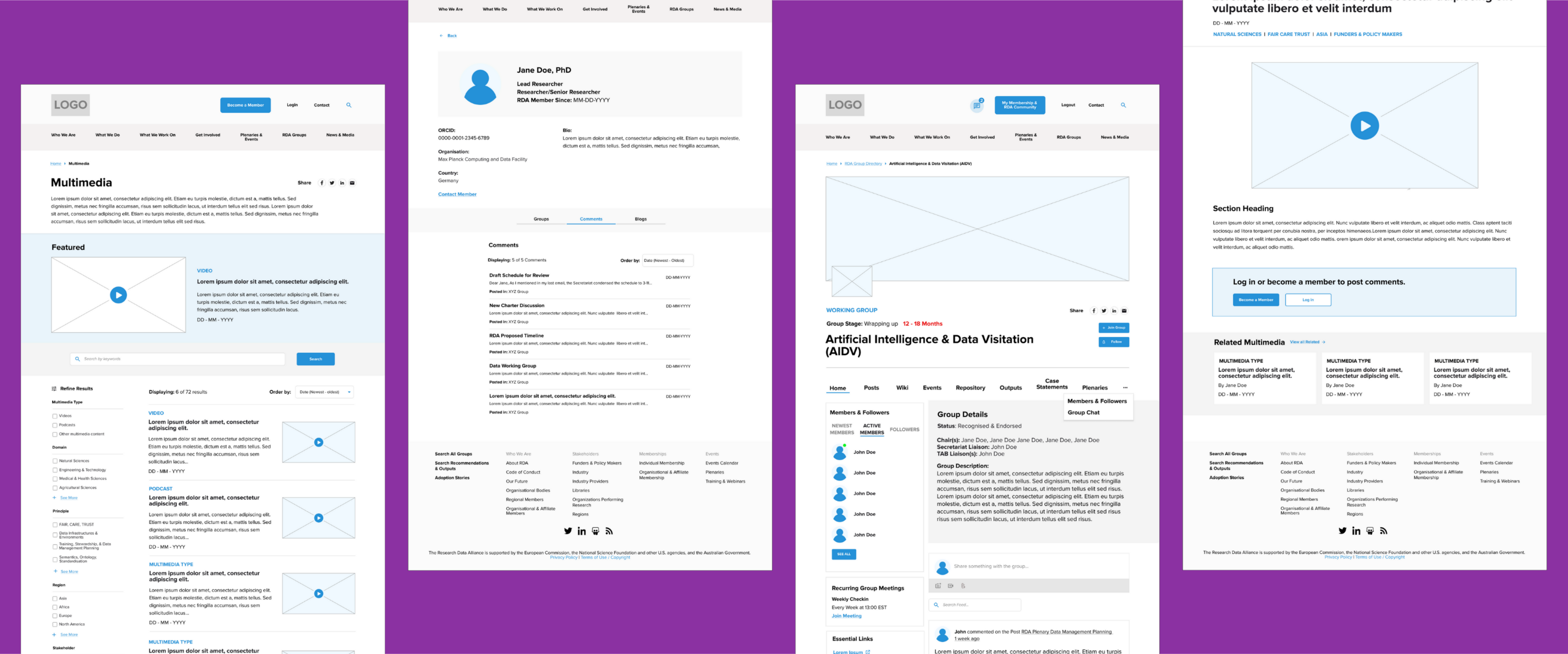
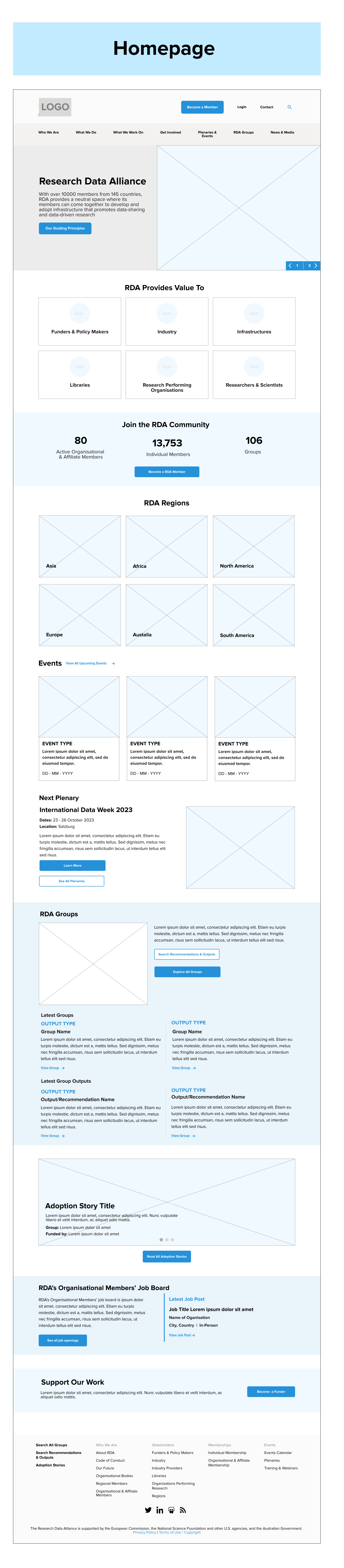
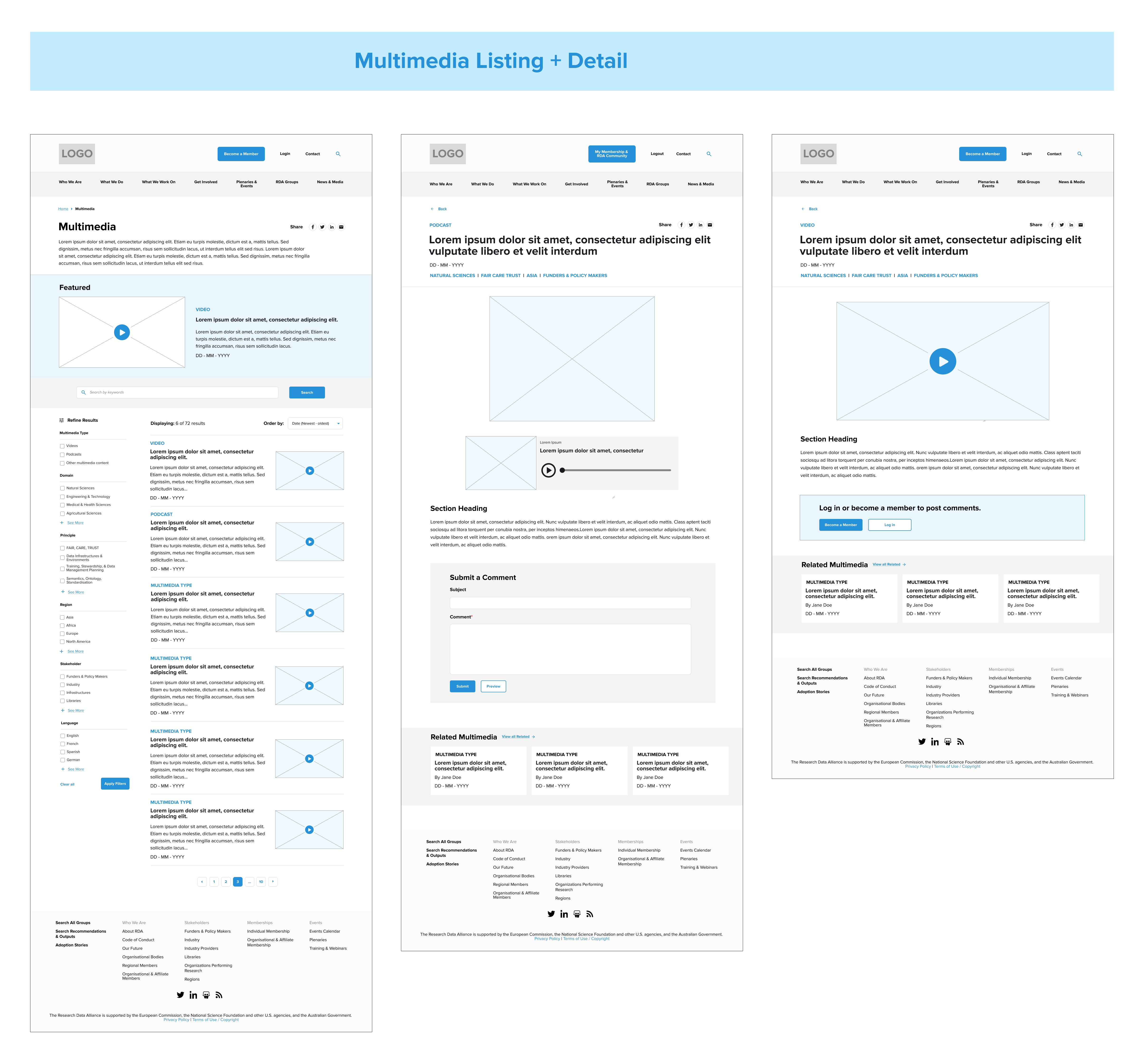
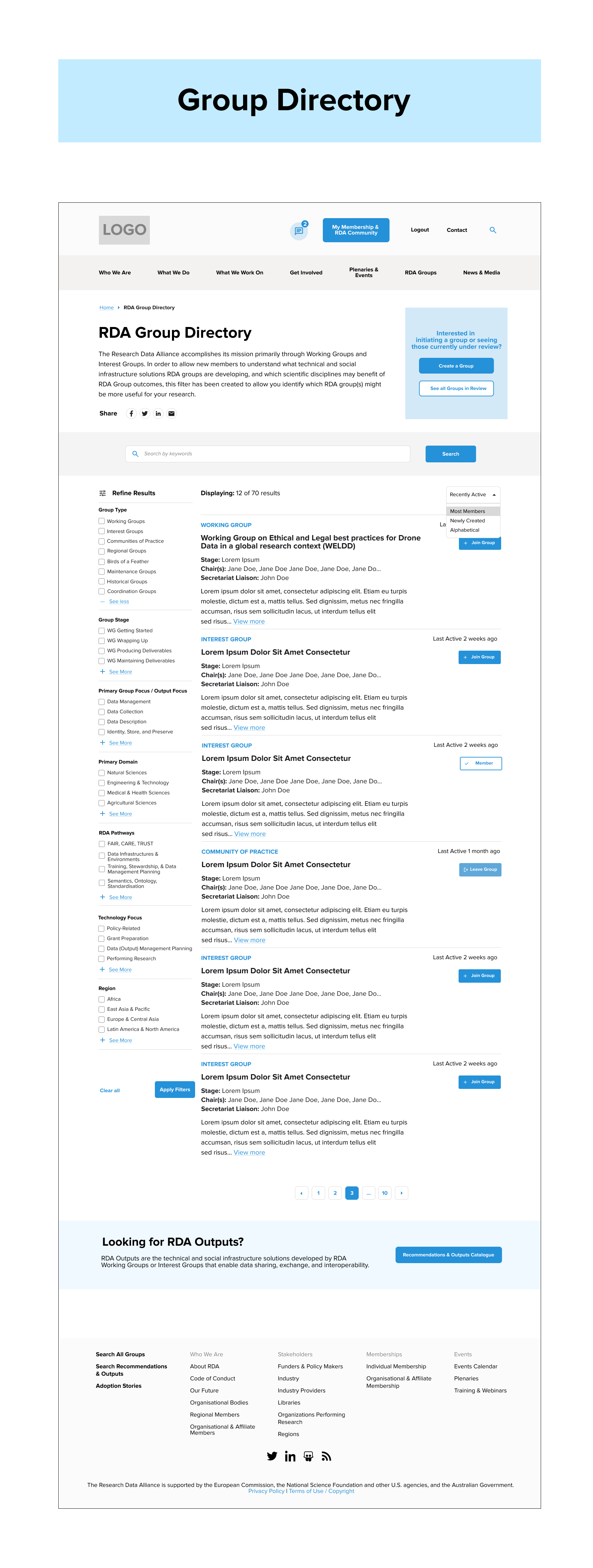
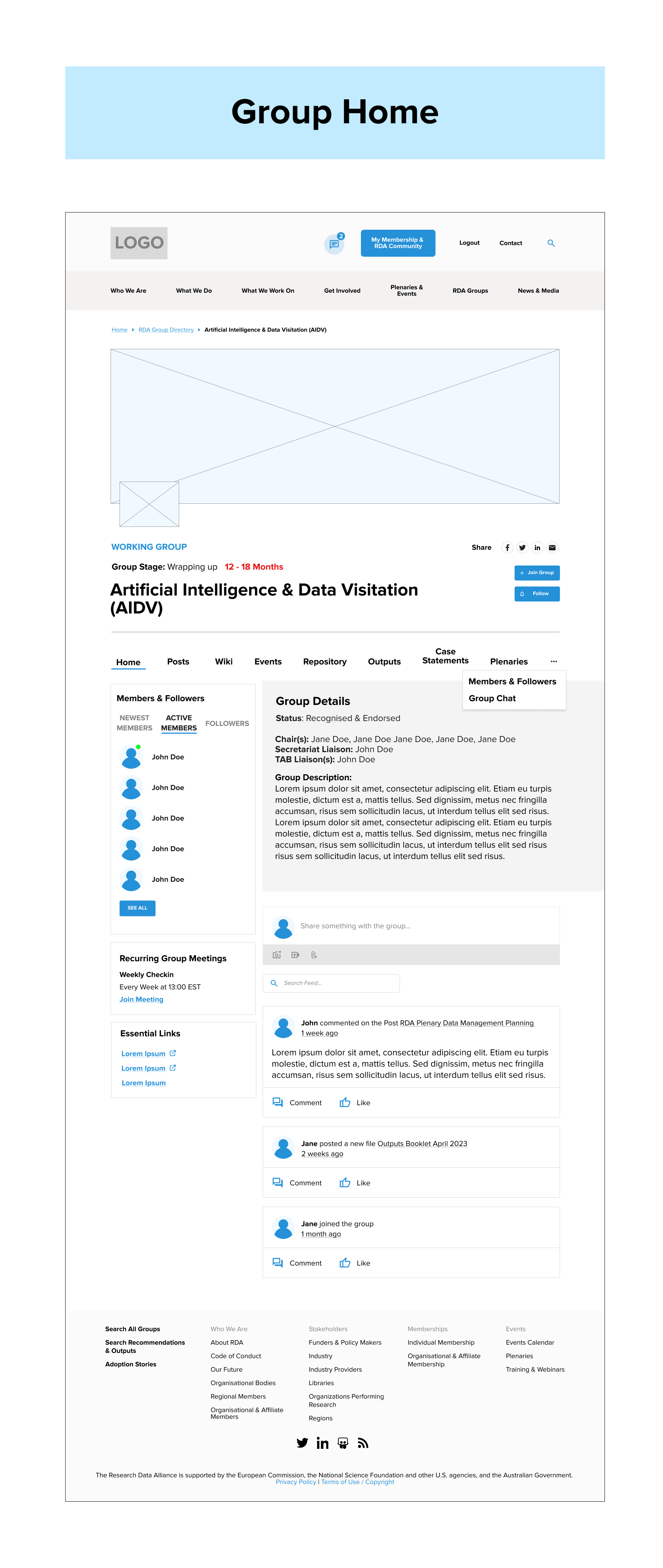
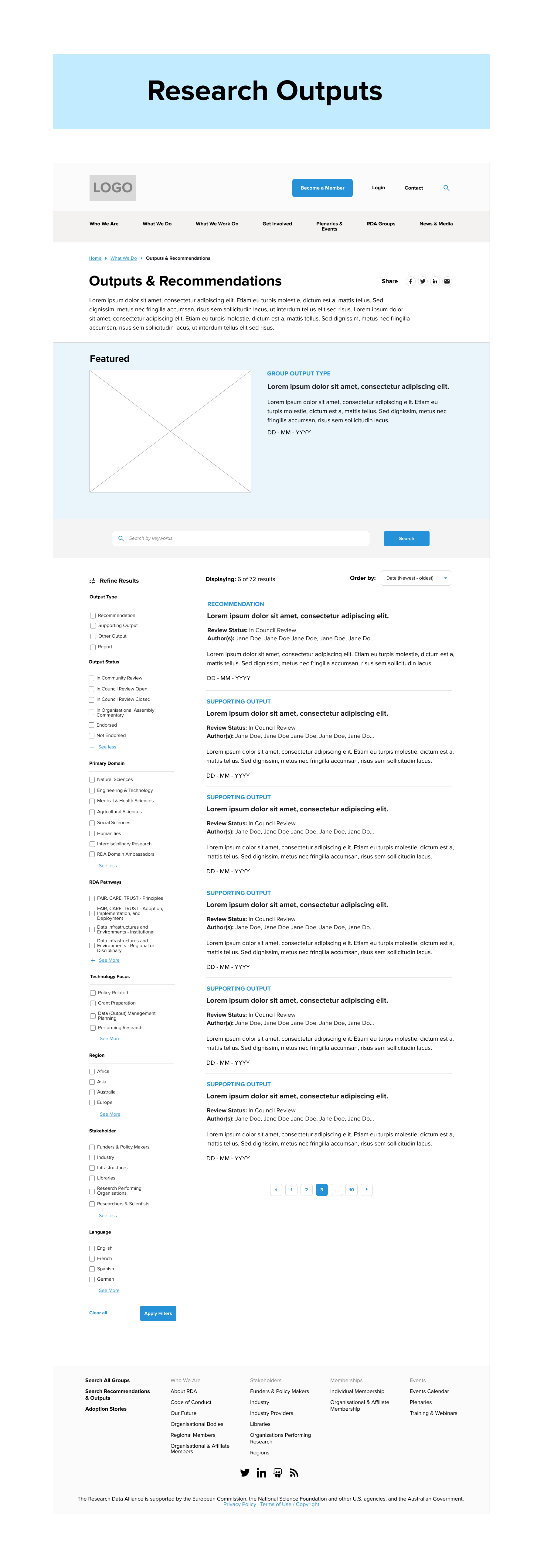
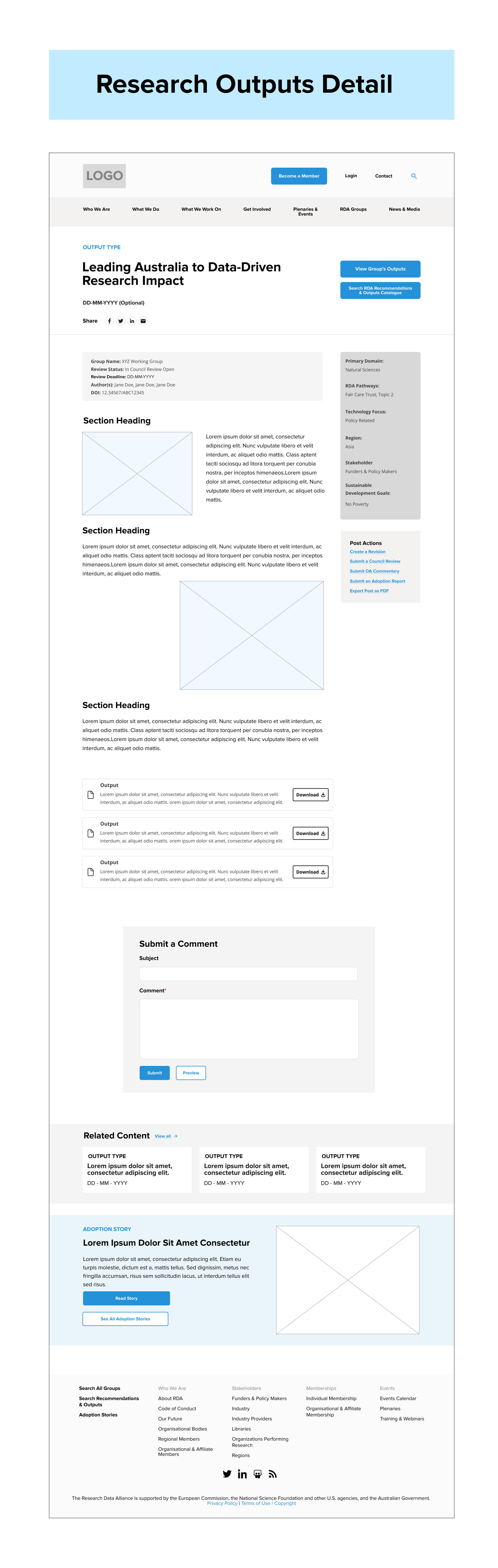
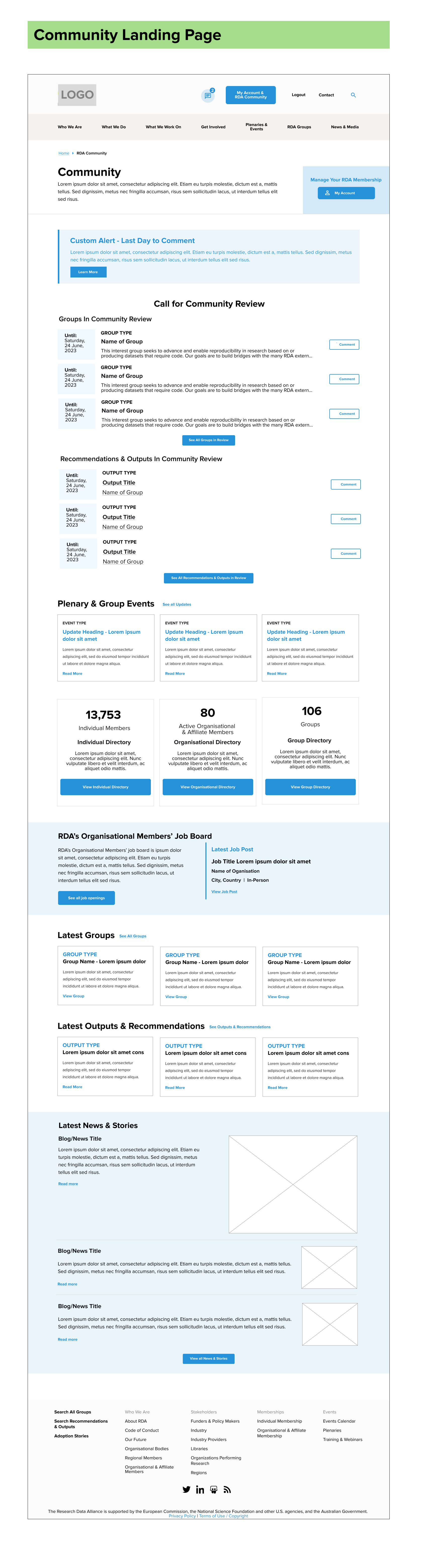
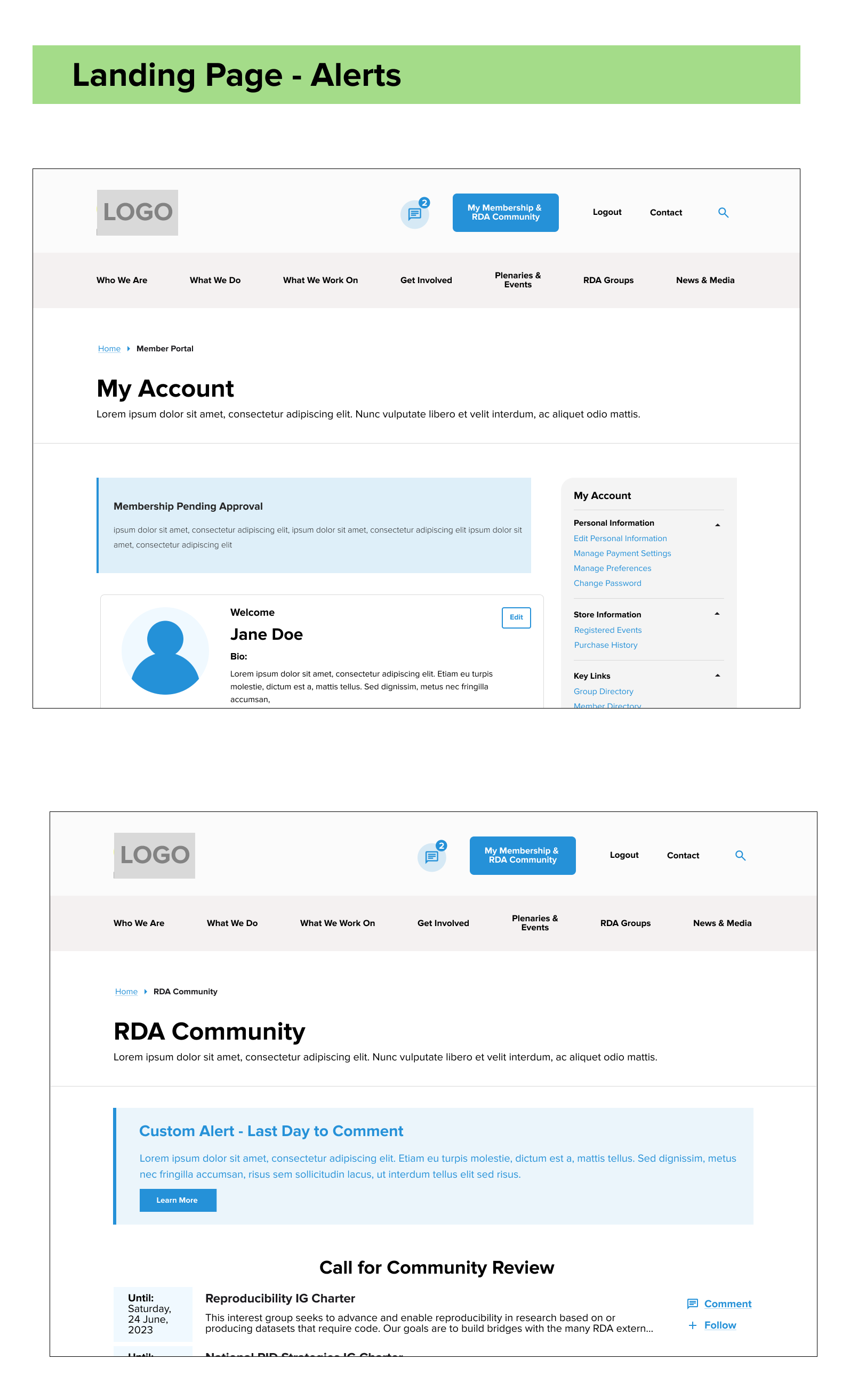
I created low-fidelity wireframes for all major content types and flows.
Each feature’s wireframe was designed in alignment with BuddyBoss constraints. Every round brought new feedback, so we set limits on revision cycles to keep the process efficient and thoughtful.

Wireframes were reviewed with developers early to confirm feasibility before sharing with the client. Feedback was incorporated across two rounds of iteration.
CMS Wireframes:

Homepage

Event listing & event detail pages

Website global search page

Flexible landing page

Basic page

News listing & news article pages

Job listing & job detail pages

Multimedia listing & multimedia information pages
Collaboration platform:

Group creation process

Research process

Research review process

Member directory & member profile pages

Group directory

Group collaborative space

Research project directory & research article pages
Member Portal:

Member community page

Personal & organisational information editing

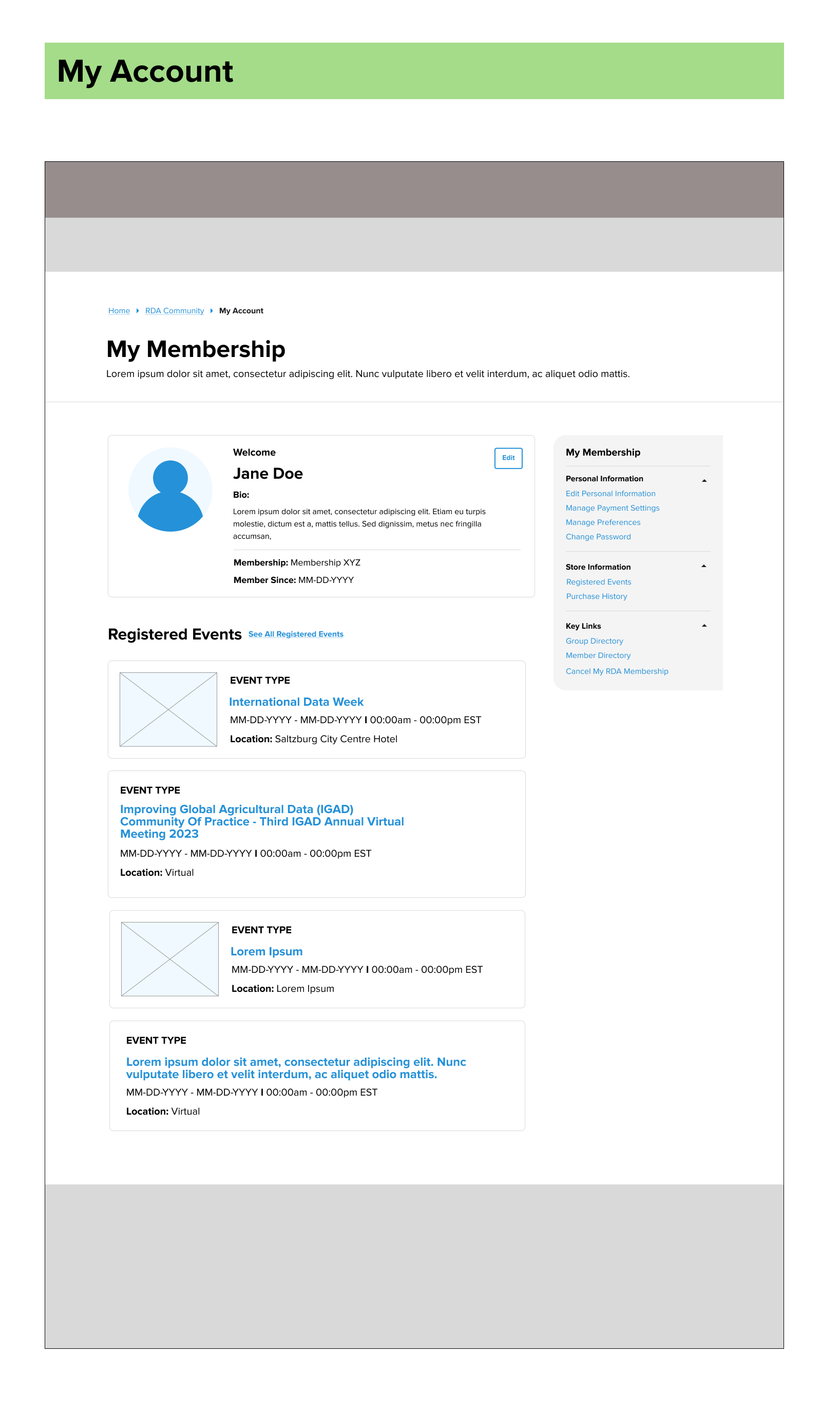
Registered events overview

Member group overview

Payment setting

Account notifications

Account page

Member portal navigation
Membership Signup & Renewal:

Account creation

Signup & renewal notifications

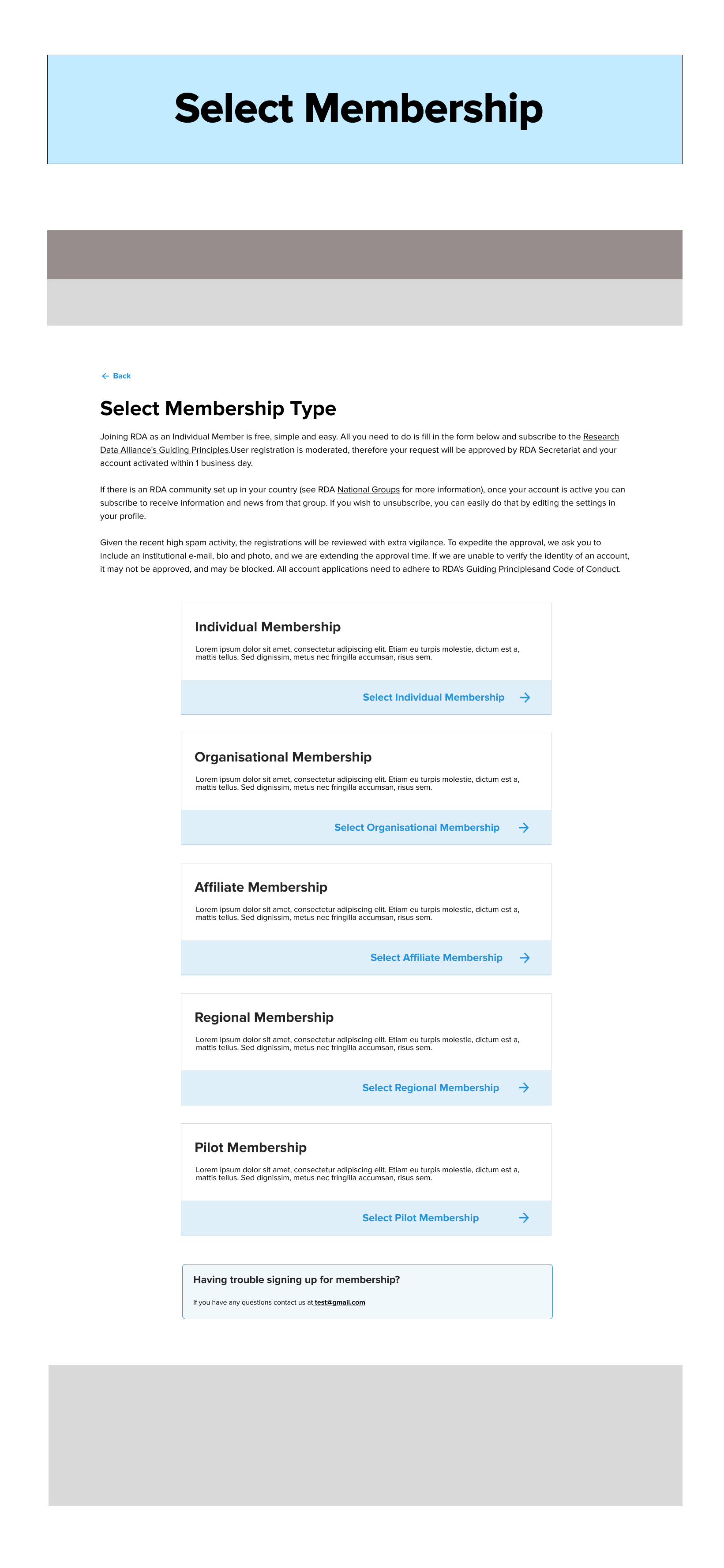
Membership selection

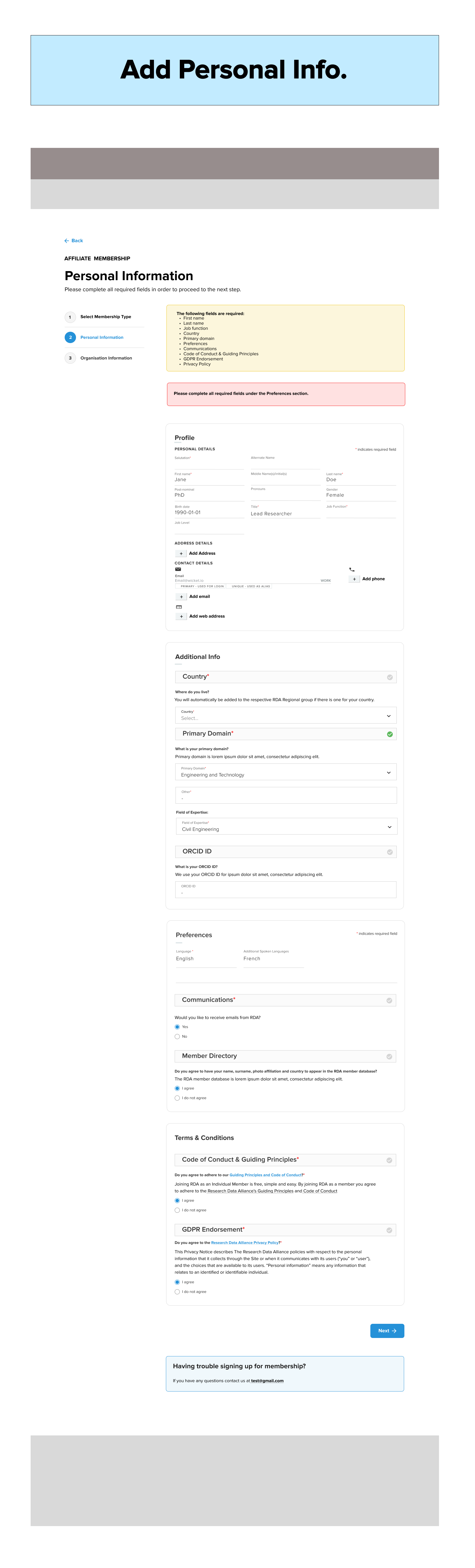
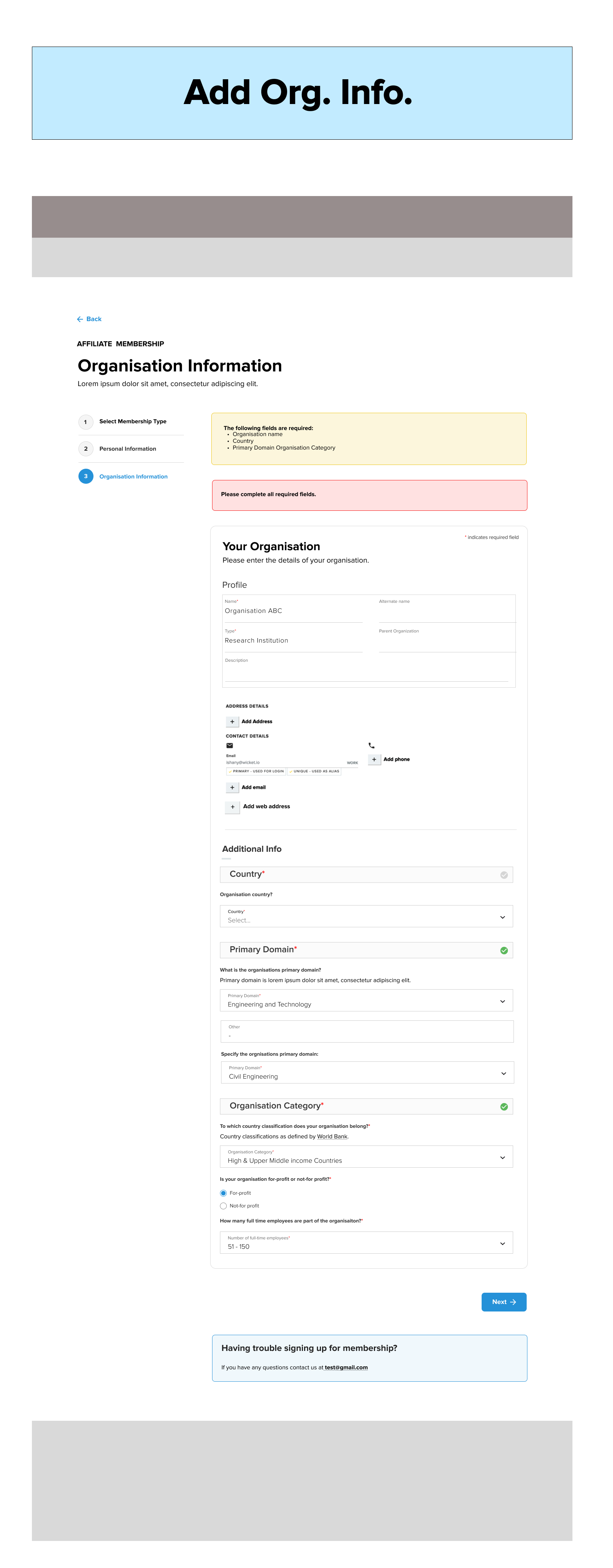
Adding personal & organisation information

Cart & checkout pages
CMS Wireframes
Collaboration Platform
Member Platform
Membership Signup & Renewal:
STEP 14
Mockups 
Mockups were developed by a visual designer based on my wireframes. I reviewed all mockups to ensure alignment with UX goals and consistency in interaction patterns before they were shared with the client.
Development & Launch
STEP 15
Acceptance Criteria & Dev Handover
I prepared detailed acceptance criteria for every feature and user flow, ensuring developers had clear guidance. This included outlining desired behaviors and edge cases in plain language and pseudo-code.
Working closely with the development team and project manager, I helped plan the workload and sequence of development tasks. Before development began, I held individual handover sessions with each developer, walking them through the wireframes and associated criteria to ensure alignment and eliminate ambiguity.

Throughout the build phase, I led weekly meetings with the dev team to align on progress, review completed work, and adjust timelines as needed. I also provided the client with weekly updates to keep them informed and engaged at every stage of development.
STEP 16
User Acceptance Testing
Each feature underwent thorough UAT. I tested functionality and visuals against our designs and acceptance criteria. Bugs were logged, tracked, and retested before sign-off by me for the Quality Assurance Testing. I created structured test cases for both internal and client testing to support a smooth UAT phase.
STEP 17
Training & Documentation
To support a smooth handoff, I created custom training documentation for the client’s team. Where needed, I also ran live training sessions and continued offering support post-launch.

Given the website’s central role in the client’s operations, thorough documentation and training were essential. I created comprehensive, step-by-step guides tailored to the organization’s workflows, covering everything from navigating BuddyBoss to managing group submissions and event scheduling.

I also led custom training sessions to onboard the client’s team, ensuring they felt confident using the new tools and back-end systems. These sessions were designed to empower staff to manage and maintain the platform independently post-launch.
Reflections
•  Team Capabilities Matter: Early clarity on your team’s capacity and strengths sets the foundation for a successful project.

Feedback is Non-Negotiable: Regular stakeholder involvement is key to informed decision-making and faster alignment.

UX as Business Consulting: Good UX often means challenging old systems. Bringing clients along the journey requires clear communication and a lot of empathy.

Visuals unlock clarity — Even with in-depth discovery, many requirements only surfaced once wireframes or mockups were presented. This is common and expected—visuals help clients fully articulate their needs.

Prepping clients is essential — Efficient workshops require aligned clients. Whenever possible, I send prep instructions and ask clients to clarify internal workflows before our sessions.

Scope, scope, scope — Staying vigilant about scope ensures that we can deliver core features with excellence. Clarity at every step helps manage expectations and reduce distractions from non-priority requests.